









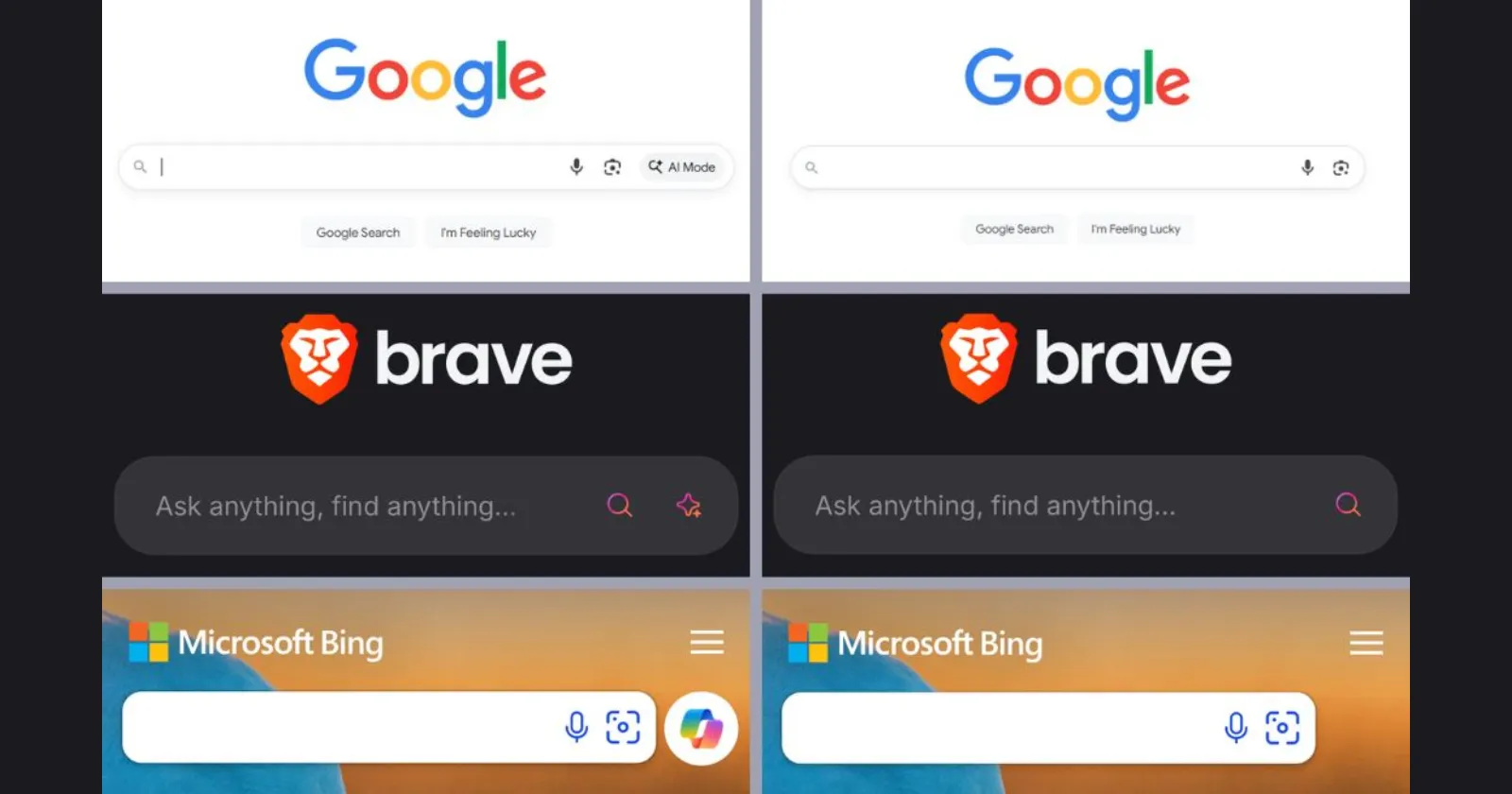
If you don't want AI in your search engine, we've got your back.
— Brave (@brave) December 24, 2025
One simple setting change can hide AI-generated answers and other AI elements from multiple search engines.
Go to Settings > Shields > Content Filtering and enable "Anti-AI Search Filters." pic.twitter.com/ayhTaqbJq8
Brave just released a new feature that lets you hide AI-generated answers from your search results with a single click. We’ve seen a massive surge in AI “slop” cluttering up the web lately, and it seems the company is the first to offer a native “kill switch” for it.
The new tool is officially called Anti-AI Search Filters. You can find it by heading into the browser Settings, selecting Shields, and then tapping on Content Filtering. It’s live on both mobile and desktop versions of the browser.
According to a post from Brave on X, the setting works across multiple search engines to scrub away AI summaries and other distracting elements. I’ve personally found that AI Overviews often take up the entire first screen on mobile devices, so this is a massive win for anyone who just wants a simple list of links.
In the past, we’ve had to rely on tedious manual hacks to get a clean search experience. You might remember the “udm=14” trick for Google or following our previous guide on adding “-ai” to the end of your search queries to force a classic view.
User Noah Cat on X shared a funny look at how these browsers are currently battling for your loyalty. He posted a screenshot showing the search results for Firefox and Brave, where each site’s meta description is used to throw shade at the competition. It’s a perfect visual representation of the current browser wars.
this is funny 😭 pic.twitter.com/AjqZg7XUqA
— Noah Cat (@Cartidise) December 25, 2025
But don’t mistake this for a total retreat from artificial intelligence though. While they are giving you a “kill switch” for search results, Brave is simultaneously testing a powerful new agentic AI mode in its Nightly builds.
That said, I think this is a clever “best of both worlds” strategy. Brave is betting that you want AI to be a helpful agent that works for you in the background rather than a noisy summary that sits on top of your search results. It puts the power back in the user’s hands by making AI an opt-in tool rather than a forced requirement.
I’m hoping this pushes the rest of the industry to offer similar toggles, but for now, it’s the most seamless way to clean up your search results. If you aren’t ready to switch browsers just yet, you can still follow our earlier guide on how to get rid of AI Overviews in Google Search manually.
TechIssuesToday primarily focuses on publishing 'breaking' or 'exclusive' tech news. This means, we are usually the first news website on the whole Internet to highlight the topics we cover daily. So far, our stories have been picked up by many mainstream technology publications like The Verge, Macrumors, Forbes, etc. To know more, head here.



Dwayne Cubbins
1448 Posts
For nearly a decade, I've been deciphering the complexities of the tech world, with a particular passion for helping users navigate the ever-changing tech landscape. From crafting in-depth guides that unlock your phone's hidden potential to uncovering and explaining the latest bugs and glitches, I make sure you get the most out of your devices. And yes, you might occasionally find me ranting about some truly frustrating tech mishaps.


Comments
Follow Us

