










A new Microsoft Edge build is drawing serious heat from its most vocal users, thanks to a controversial UI overhaul that introduces overly rounded corners and a nasty, workflow-breaking bug in the native PDF editor.
The browser’s community has immediately taken to Microsoft’s forums, Reddit, and the Microsoft Feedback Portal, calling the new aesthetic a “disaster.”
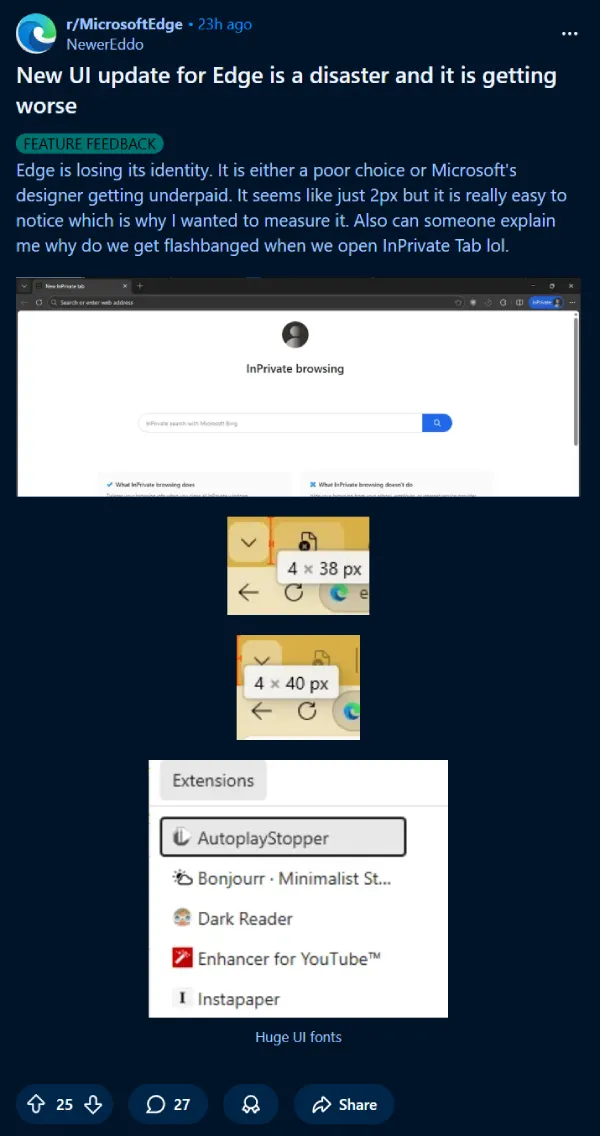
What’s driving the frustration is a design shift that pushes the browser further into the Windows 11 ‘Fluent Design’ language. Users are seeing much thicker title bars and significant, unnecessary padding between pined tabs and icons on the bookmarks bar.
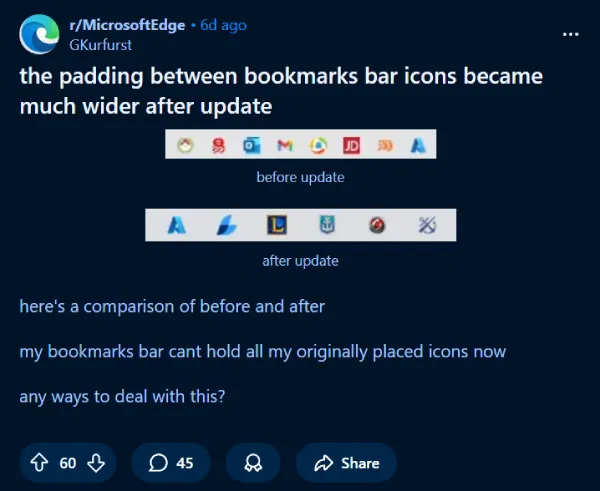
Visually, the change makes the browser look noticeably puffier, prioritizing modern styling over efficiency. We’ve seen Microsoft push this aesthetic aggressively across its operating system and apps, going all the way back to the rollout of Windows 11.
For tech enthusiasts and power users, however, this isn’t just a cosmetic issue. The extra spacing and padding translate directly into an unnecessary loss of screen real estate, making the once-sleek browser feel cluttered and less productive.
Some frustrated users, according to threads on Reddit, are already digging into hidden flags and settings to find ways to instantly roll back the changes. A flag that did the trick a year ago was depreciated and is no longer available.
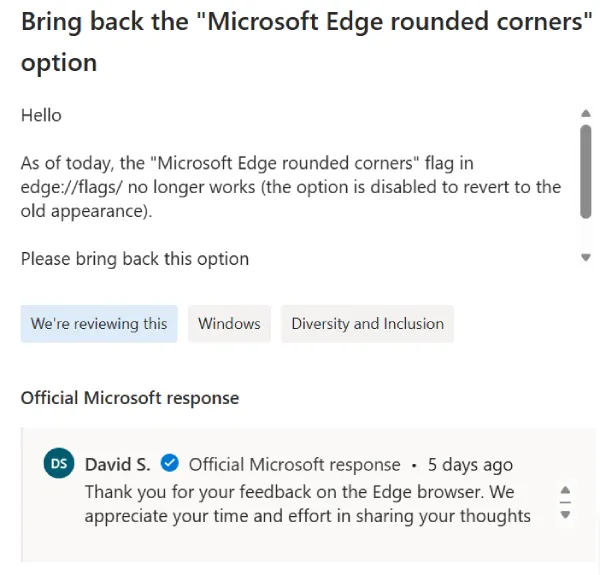
There is a glimmer of hope, however. On the official Feedback Portal, a Microsoft representative named David S. has flagged a request to bring back the rounded corner toggle with a status of “We’re reviewing this.” It’s not a guaranteed rollback, but it confirms the team is keenly aware of the pushback.
But the design choices aren’t the only problem. A more critical bug has surfaced in the built-in PDF editor, which many users rely on for quick annotations and document signing.
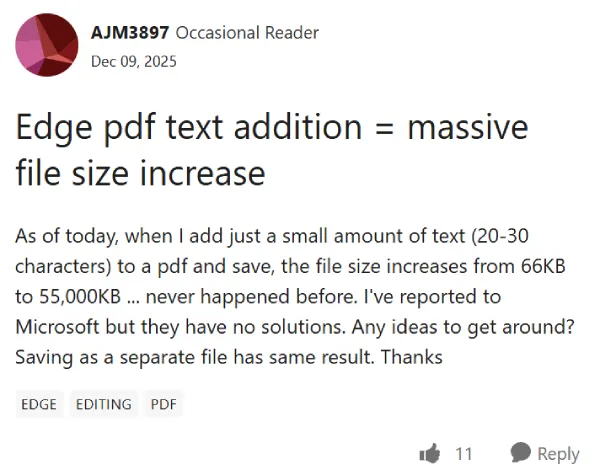
Users are reporting on the Microsoft Tech Community and Reddit that simply adding a text field to a PDF document causes the final saved file size to massively inflate. This isn’t a small increase; one user noted a simple annotation could cause a file to balloon from 66KB to 55,000KB.
This is a massive workflow killer. As one Reddit user put it, it “sucks to be the IT in the office” right now, with employees unable to email simple invoices because the files are too large.
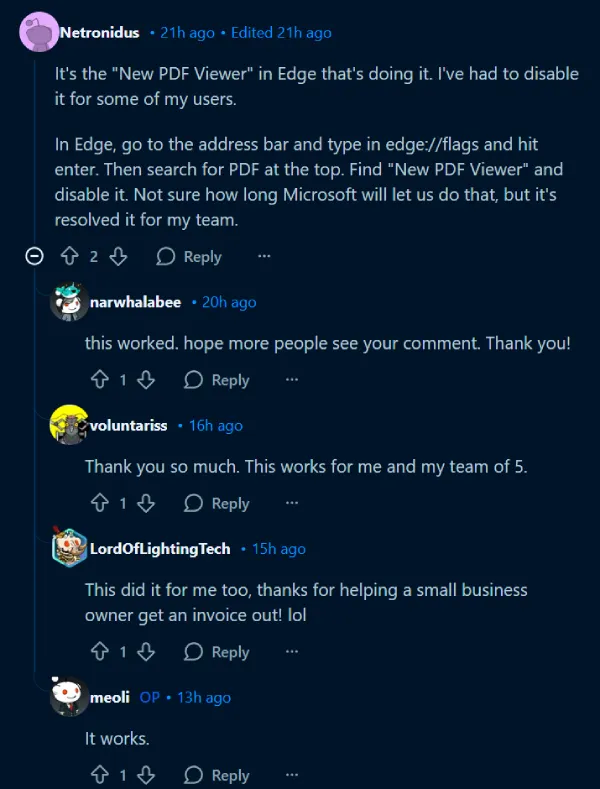
Fortunately, if you are stuck struggling with this, there is a workaround. Reddit user Netronidus discovered that the issue is tied specifically to the updated viewer engine.
To fix it, type edge://flags into your address bar, search for New PDF Viewer, and switch it to Disabled. Multiple users have confirmed that this immediately stops the file bloating, allowing small business owners and IT teams to get back to work.
I’m hoping Microsoft rolls out a proper hotfix for this PDF bloat immediately so we don’t have to rely on feature flags. While the UI changes are debatable, buggy core utility features can truly derail adoption.
Microsoft Edge has a history of being a surprisingly capable competitor to Chrome, but it needs to respond quickly to this community outcry. For now, check your flags if you handle PDFs, and keep an eye on the official feedback channels for that UI toggle.
TechIssuesToday primarily focuses on publishing 'breaking' or 'exclusive' tech news. This means, we are usually the first news website on the whole Internet to highlight the topics we cover daily. So far, our stories have been picked up by many mainstream technology publications like The Verge, Macrumors, Forbes, etc. To know more, head here.



Dwayne Cubbins
1452 Posts
For nearly a decade, I've been deciphering the complexities of the tech world, with a particular passion for helping users navigate the ever-changing tech landscape. From crafting in-depth guides that unlock your phone's hidden potential to uncovering and explaining the latest bugs and glitches, I make sure you get the most out of your devices. And yes, you might occasionally find me ranting about some truly frustrating tech mishaps.


Follow Us

