









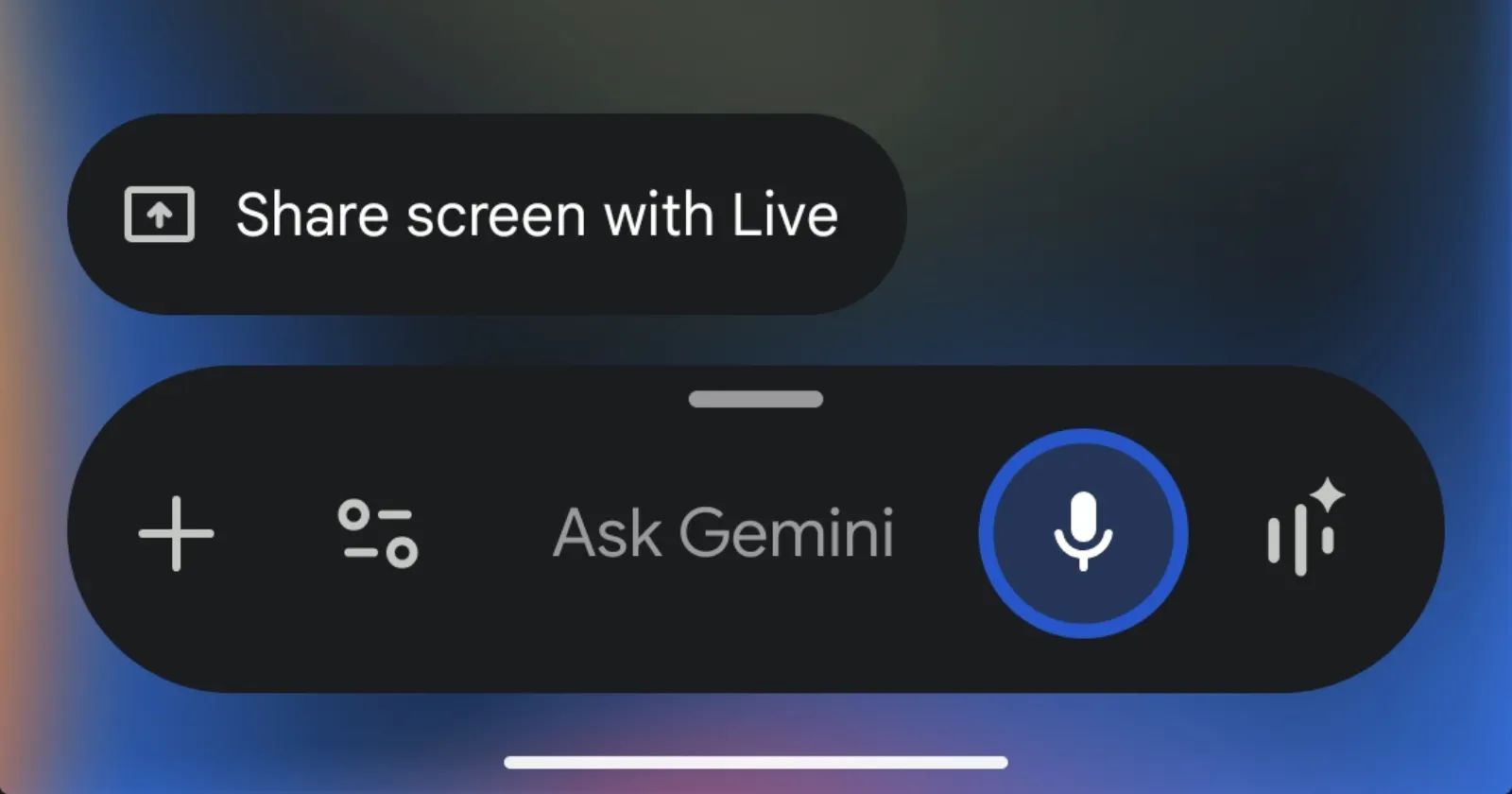
Google’s Gemini assistant is currently broken for a lot of Android users right now. If you say “Hey Google” or hold your phone’s power button, the software is suddenly launching the full Gemini app instead of the normal transparent overlay.
Complaints about the problem are piling up from people using everything from the new Galaxy S25 and Galaxy S26 Ultra to Google’s own Pixel 10 Pro. It is pretty bad because it completely breaks Gemini’s ability to read your screen.
Usually, summoning the digital assistant just pops up an overlay on the screen. That lets you ask it to summarize a long article or pull details from a video you are actively watching.
So getting dumped into the full application means Gemini loses that screen context entirely. It literally cannot see what you were just looking at.
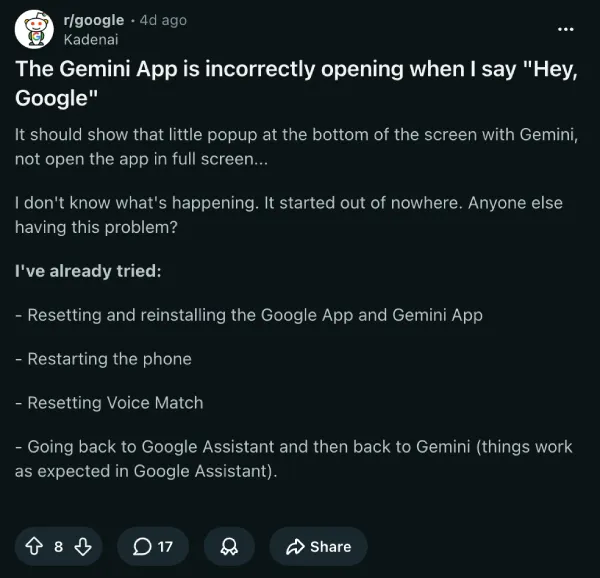
People are obviously annoyed. Users on Reddit have been trying everything from factory resetting their smart home hardware to clearing caches.
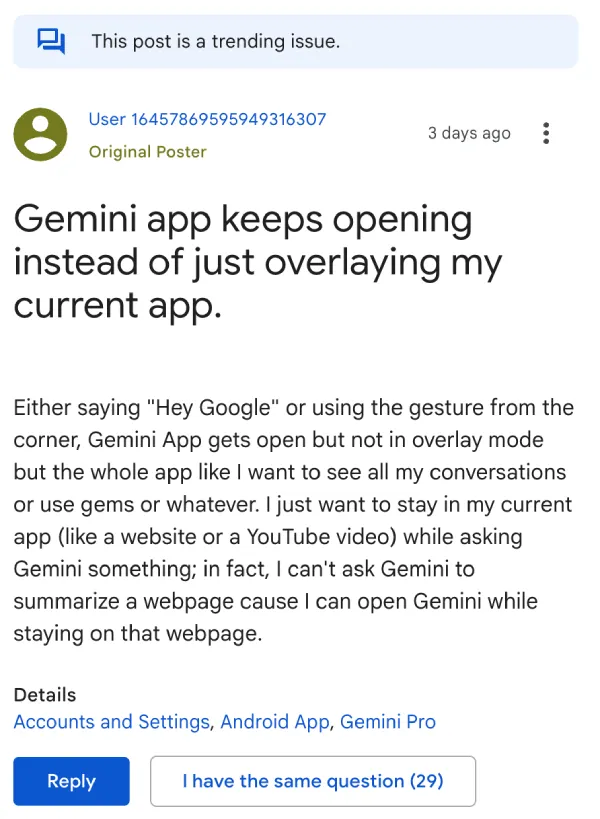
There are even reports on the Gemini Apps Help Community, where users say the assistant is basically useless for screen tasks. One frustrated user even tried toggling the display permissions off and on again, but nothing fixed it.
Galaxy S25 owners are also crowding the Samsung community forums looking for answers. Some Samsung users suspect the glitch started right after installing the recent April One UI update.
However, the actual culprit seems to be a recent update to the core Google App. A product expert on the Google forums pointed out that the screen context feature relies heavily on how that specific app handles permissions.
There is also a very strange quirk to this bug. A handful of users noticed the overlay still works perfectly if they switch to a secondary Google account on the exact same phone. That is starting to look like a messy server-side glitch on Google’s end rather than just a simple broken app update.
There is, however, a reliable temporary workaround. You just need to roll back the Google app to an older version.
To do this, open the Play Store and search for the Google app. Hit the uninstall button. Because it is a baked-in system app, this will not actually delete it from your phone. It just strips away the recent updates and reverts to the factory version.
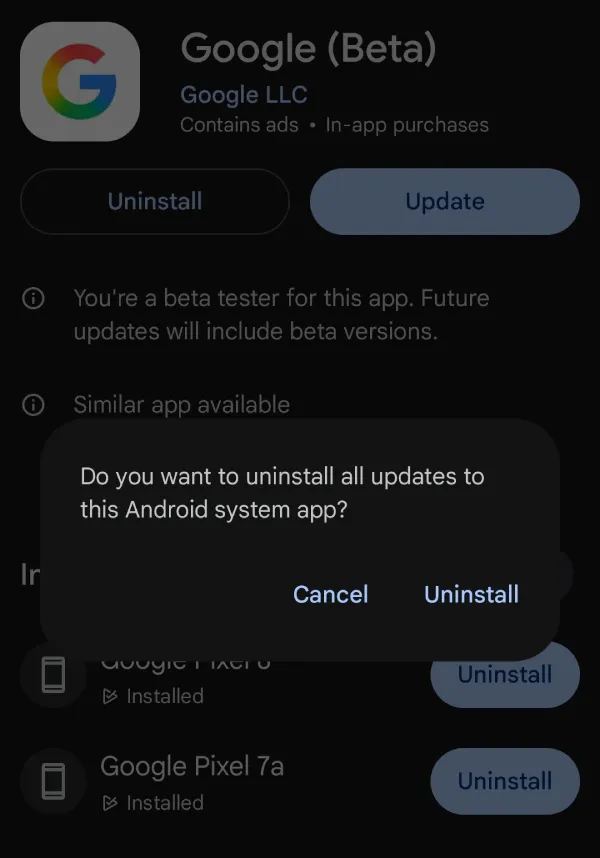
That said, you might have to go into your settings and toggle the “Hey Google” voice match back on afterward.
Just remember to turn off auto-updates for the Google app in the Play Store for now. If you forget, your phone will quietly download the broken version again overnight.
TechIssuesToday primarily focuses on publishing 'breaking' or 'exclusive' tech news. This means, we are usually the first news website on the whole Internet to highlight the topics we cover daily. So far, our stories have been picked up by many mainstream technology publications like The Verge, Macrumors, Forbes, etc. To know more, head here.



Dwayne Cubbins
1475 Posts
For nearly a decade, I've been deciphering the complexities of the tech world, with a particular passion for helping users navigate the ever-changing tech landscape. From crafting in-depth guides that unlock your phone's hidden potential to uncovering and explaining the latest bugs and glitches, I make sure you get the most out of your devices. And yes, you might occasionally find me ranting about some truly frustrating tech mishaps.


Follow Us

