










Firefox users on Reddit say version 150.0 keeps showing an ‘Awaiting location permission’ pop-up and opening Windows Location Settings. The browser then proceeds to open Windows Settings, where the location permissions are.
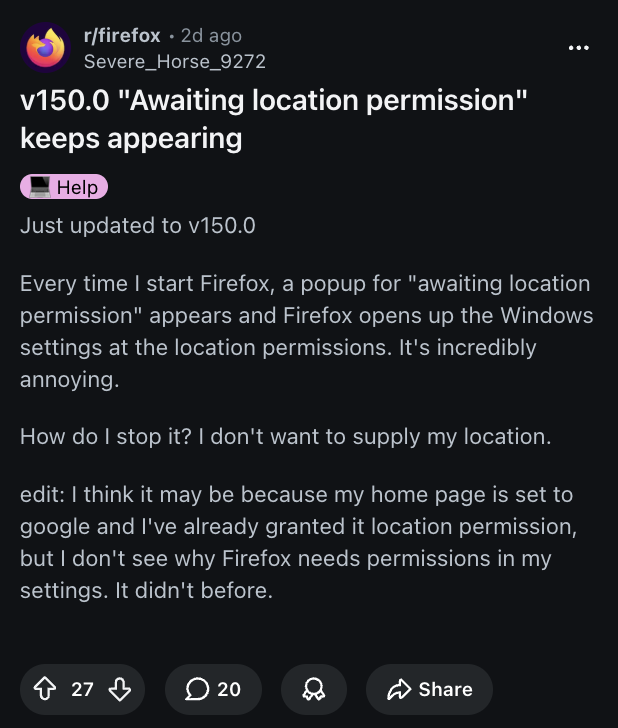
The original poster also suggests that using Google as the default homepage (which has already been granted permissions for location) is a potential reason for the issue. However, this does not explain why Firefox itself needs the permission specifically from Settings. A few others speculate that it has something to do with Google. People have tried to block all location requests as well, to no avail.
In the replies, user u/theborgs has explained how you can disable it. Even though Firefox uses the Windows Location feature after a recent update, you can still disable it in this way:
- Type about: config in the address bar, and press Enter. It may give you a pop-up that says “Proceed with caution.” You’ll need to hit “Accept the Risk and Continue.”
- Type geo.prompt.open_system_prefs in the Search Bar, and set it to false.
- Type geo.provider.ms-windows-location in the Search Bar, and set it to false as well.
- Restart the Firefox browser.
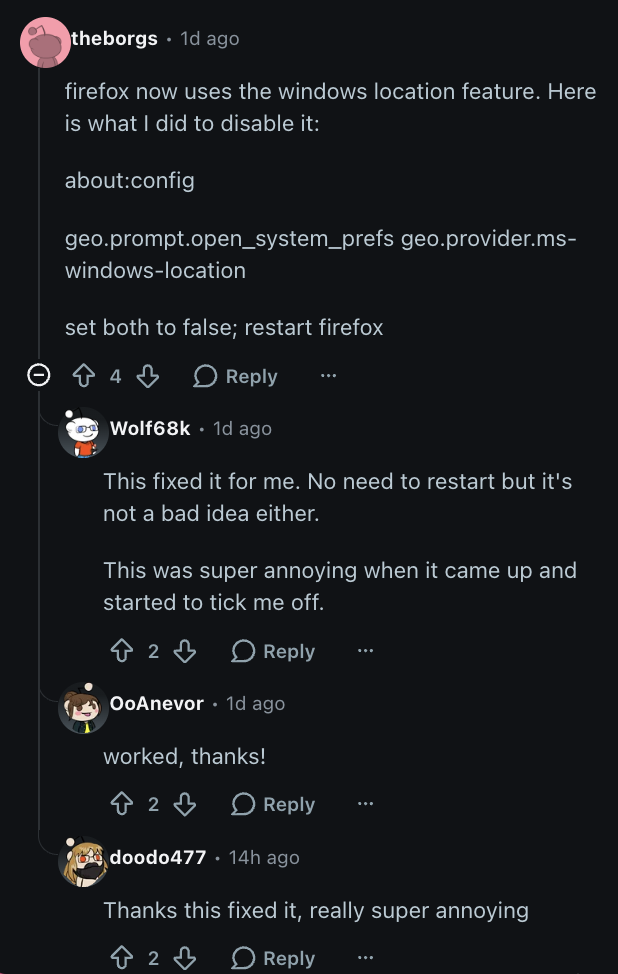
These changes will effectively prevent Firefox from serving you the location permissions prompt, and it can no longer open the Settings app. Users confirm that this has solved the issue for them. A simpler solution that may work is navigating to Firefox Settings and then finding Permissions. Go to the Location section, and remove the permission for Google.com.
Additionally, if you’re a Ublock Origin user, u/NetNpIVijCI on Reddit suggests putting google.com##+js(aopr, navigator.geolocation) into the filters.
I’m hoping these fixes get rid of that annoying pop-up, so you can get back to hassle-free browsing sessions. If you think we’ve missed a potential fix, do let us know in the comments.
Firefox has also been making weird changes lately, like the new dropdown search bar on Firefox. So if you want the old one back, we covered how you can do that here.
TechIssuesToday primarily focuses on publishing 'breaking' or 'exclusive' tech news. This means, we are usually the first news website on the whole Internet to highlight the topics we cover daily. So far, our stories have been picked up by many mainstream technology publications like The Verge, Macrumors, Forbes, etc. To know more, head here.



Dwayne Cubbins
1475 Posts
For nearly a decade, I've been deciphering the complexities of the tech world, with a particular passion for helping users navigate the ever-changing tech landscape. From crafting in-depth guides that unlock your phone's hidden potential to uncovering and explaining the latest bugs and glitches, I make sure you get the most out of your devices. And yes, you might occasionally find me ranting about some truly frustrating tech mishaps.


Follow Us

