









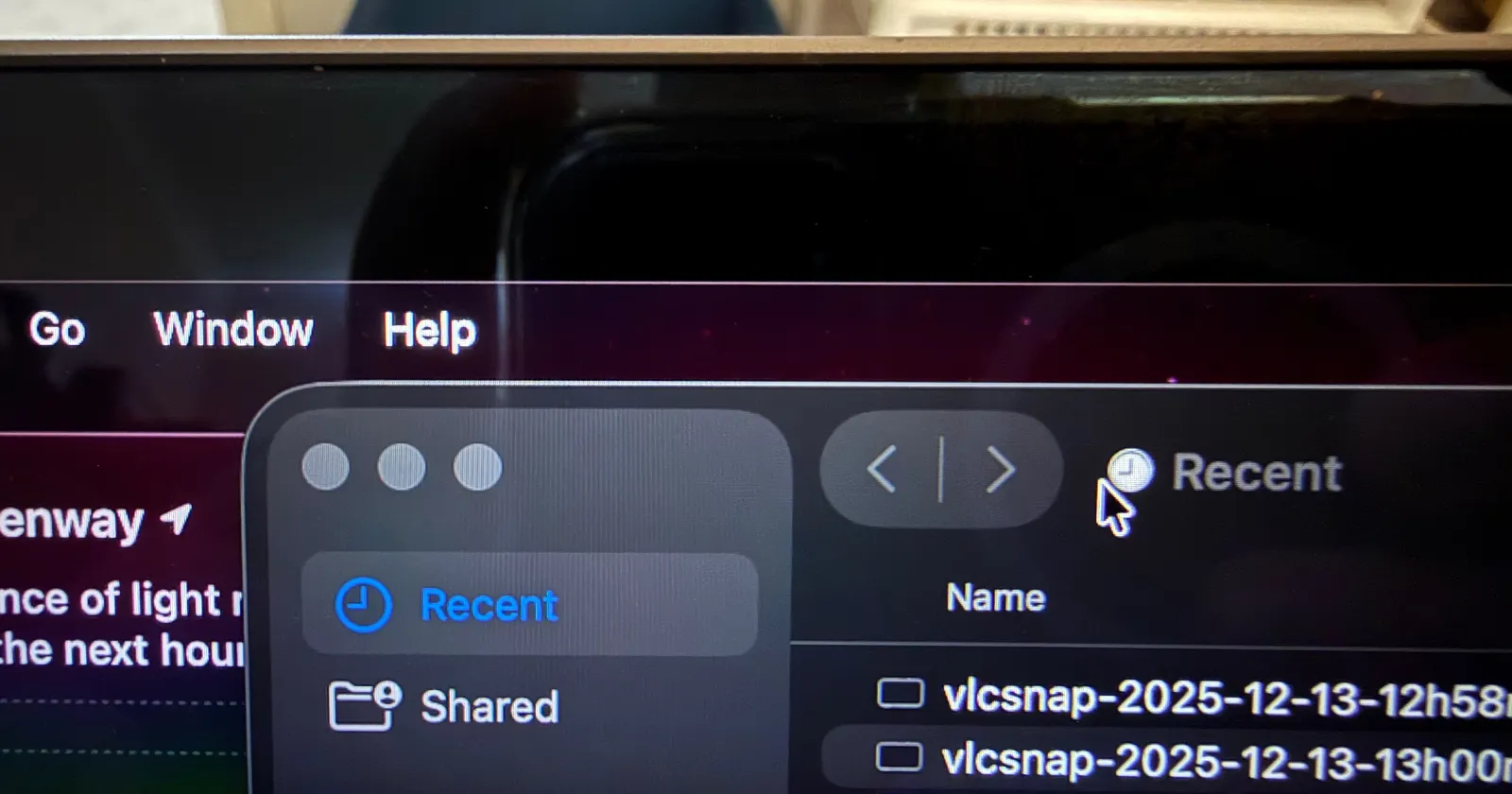
MacOS 26.2 Rendering issue? White outline above menu bar
byu/iswhatitiswaswhat inMacOS
macOS Tahoe 26.2 is causing headaches for some Mac users, with reports emerging of a thin white line appearing at the top of the screen and wallpapers randomly turning blurry.
The bugs started popping up almost immediately after the update rolled out earlier this week. Users on Reddit and Apple’s support forums have been sharing their frustrations, and it’s clear this isn’t an isolated issue.
Let’s start with the white line. It’s a faint, almost ghostly artifact that shows up along the very top edge of the display. According to Reddit user No-Aside9851, the line becomes visible when hovering over the Dock. It sometimes extends faintly along the sides of the screen too.
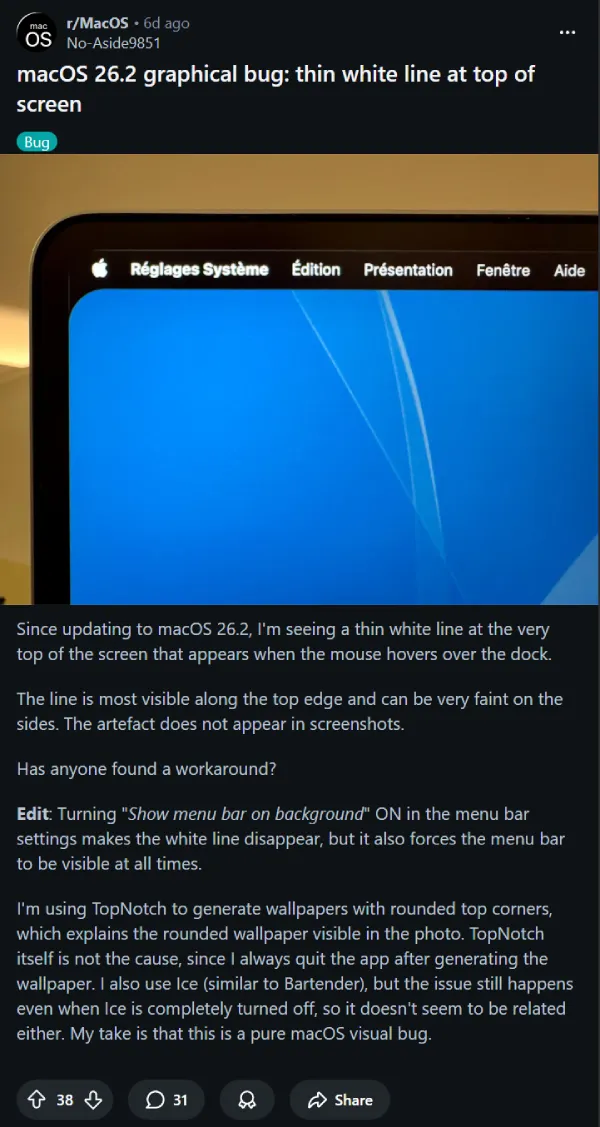
Another user even shared a screen recording in a separate post. Check it out below:
Here’s the weird part: it doesn’t show up in screenshots.
That detail initially led some users on Apple’s support forums to suggest it might be a hardware failure. But that theory doesn’t hold water. Multiple users across different machines, including the M1 MacBook Air, M2 MacBook Air, and 16-inch MacBook Pro, are all seeing the same thing.
I first thought that it looks like the Liquid Glass effect might be appearing in certain situations where it shouldn’t. Tahoe’s new design language relies heavily on these translucent, light-reactive elements, and it wouldn’t be surprising if something’s misfiring.
A workaround does exist. If you go into System Settings and enable “Show menu bar background” under the menu bar options, the white line disappears. The downside? You’re stuck with a visible menu bar background at all times, which defeats the purpose of the transparent look many users prefer.
The second bug involves wallpapers going blurry. Reddit user Artistic_Unit_5570 reported that their wallpaper looked like it dropped to 480p after the update. Others confirmed the same behavior, noting that the blur doesn’t appear in screenshots either.
According to one user on Apple Discussions, the wallpaper briefly snaps back to full resolution when toggling the Liquid Glass settings between clear and tinted. But it reverts to blurry moments later.
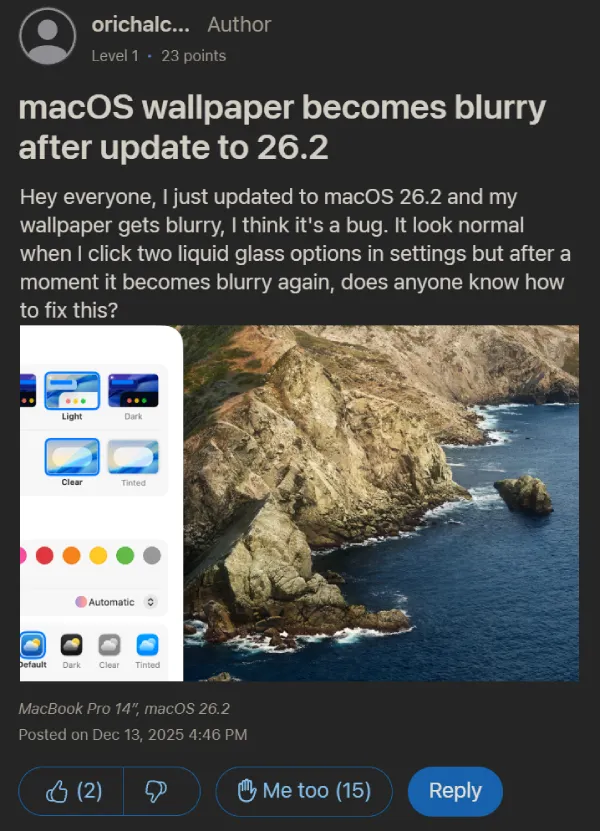
There’s also a strange connection to Spaces. User orichalcos discovered that adding multiple Spaces with the same wallpaper triggers the blur. Setting a different wallpaper for each Space apparently keeps things sharp.
We’ve seen visual bugs in Tahoe before. Users reported similar rendering issues in Mission Control during the 26.0 and 26.1 releases. Apple has been patching things steadily, but 26.2 seems to have introduced new problems while fixing old ones.
For now, your best bet is to submit a report through Feedback Assistant. Apple hasn’t acknowledged the issue publicly yet, but with this many reports piling up, I’d expect a fix with an upcoming update.
Featured image credit: BGAustralia / Apple support forums
TechIssuesToday primarily focuses on publishing 'breaking' or 'exclusive' tech news. This means, we are usually the first news website on the whole Internet to highlight the topics we cover daily. So far, our stories have been picked up by many mainstream technology publications like The Verge, Macrumors, Forbes, etc. To know more, head here.



Dwayne Cubbins
1437 Posts
For nearly a decade, I've been deciphering the complexities of the tech world, with a particular passion for helping users navigate the ever-changing tech landscape. From crafting in-depth guides that unlock your phone's hidden potential to uncovering and explaining the latest bugs and glitches, I make sure you get the most out of your devices. And yes, you might occasionally find me ranting about some truly frustrating tech mishaps.


Comments
Follow Us

