










Many Microsoft email users are finding themselves completely locked out of their accounts this week. The login screen is hitting them with a frustrating “Password tried too many times” error, even if it is their very first attempt of the day.
This issue seems heavily concentrated among users holding onto older addresses ending in @hotmail.com, @live.com, and @msn.com. Many of these accounts are decades old.
According to chatter on Reddit threads, malicious botnets are constantly spamming these leaked email addresses with incorrect passwords. This aggressive activity trips Microsoft’s automated security defenses and locks the account down.
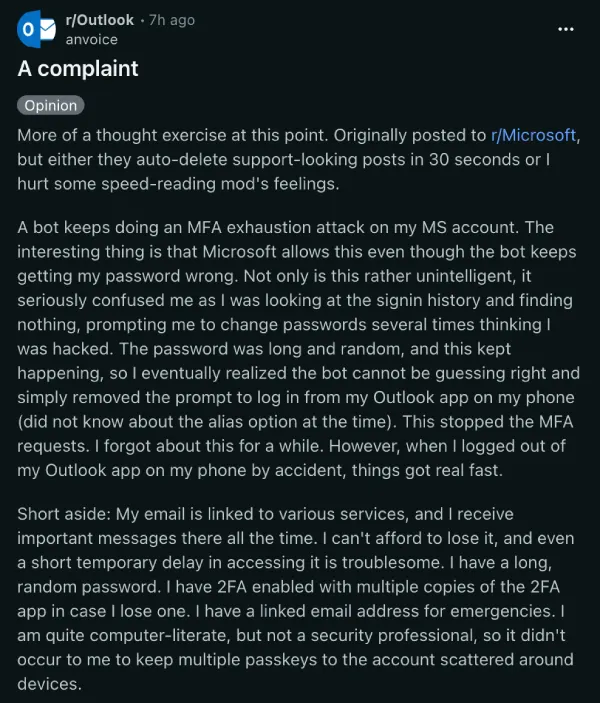
As you can tell, it’s quite frustrating for anyone who relies on these addresses for banking or work. Even worse, fallback methods like SMS verification codes are routinely failing and spitting back error messages.
Microsoft support has been quiet on the matter for now. Some users report that chat agents simply told them to sit tight and wait for a fix. Since official help is basically useless at the moment, frustrated account holders have crowdsourced a few unconventional tricks to get back inside.
The most common fix requires extreme patience. Every failed login attempt supposedly resets a hidden security timer on Microsoft’s end.
According to community testing, you must stop trying to log in completely. Wait a strict 48 hours to seven full days without touching the account. Only after that silent period should you attempt a password reset.
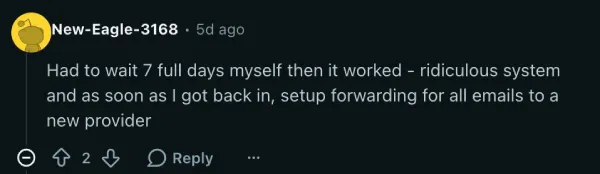
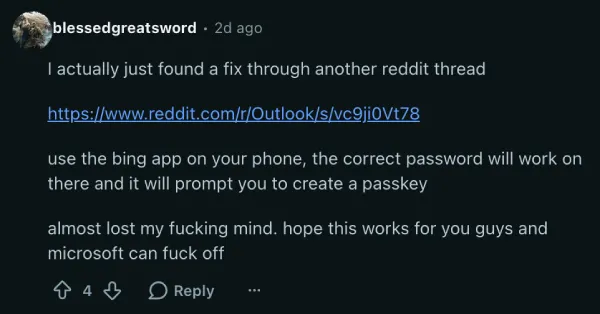
If you cannot wait a week, you might be able to use a backdoor. Since the main Outlook portal is under attack, some users found success logging in through other Microsoft properties. Going to Xbox.com or using the Bing mobile app sometimes accepts the password and lets you navigate straight to your inbox.
Another option is to bypass the standard login loop entirely. You can head straight to the official recovery form and manually verify your identity by providing previous email subjects and contacts.
If you are on a Windows PC and getting a specific “this method can’t be used right now” error, one user pointed out a local workaround. Navigating to your AppData folder and deleting the files inside the Microsoft OneAuth directory sometimes clears the glitch.
Go to C drive, Users, *your username*. Make sure hidden items are shown, otherwise you can’t get into AppData.
Then AppData, Local, Microsoft, OneAuth. blow up those files in ‘accounts’ and ‘blobs’ and hopefully you can verify your account through phone again. or even just sign in.
Once you actually regain access, you need to hide your login from the bots.
You can go into your Microsoft account settings and create a brand new email alias. You then set this new alias as the only address allowed to sign in. You keep your old Hotmail address for sending and receiving mail, but the bots can no longer lock you out because they do not know your secret login name.
TechIssuesToday primarily focuses on publishing 'breaking' or 'exclusive' tech news. This means, we are usually the first news website on the whole Internet to highlight the topics we cover daily. So far, our stories have been picked up by many mainstream technology publications like The Verge, Macrumors, Forbes, etc. To know more, head here.



Dwayne Cubbins
1475 Posts
For nearly a decade, I've been deciphering the complexities of the tech world, with a particular passion for helping users navigate the ever-changing tech landscape. From crafting in-depth guides that unlock your phone's hidden potential to uncovering and explaining the latest bugs and glitches, I make sure you get the most out of your devices. And yes, you might occasionally find me ranting about some truly frustrating tech mishaps.


Follow Us

