










If you’ve been following the latest tech coverage, you already know that smart TVs have been in the spotlight for all the wrong reasons. A security researcher rooted their own Samsung TV and live-tweeted what the software was doing. Before that, an investigation into LG’s TVs found them mapping every device on the home network. And in between, thousands of people got so fed up with ads and lag that they asked AI coding agents to strip their TVs bare.
These might seem like unrelated stories, but I think they’re one. The TV in your living room is now as much an ad and data platform as a screen, and AI sits on both sides of the fight. The TV makers run AI models on the set to work out what you watch. So owners are now pointing their own AI agents at the TV to rip that stuff back out… You can’t make this stuff up.
What a rooted Samsung TV showed
The Samsung findings come from a reverse engineer who goes by log4j. On October 21, they said they kept getting “weirdly targeted ads” on a 2025 Samsung TV. The firmware was encrypted, so they used zero-day exploits to get a root shell on the set instead.
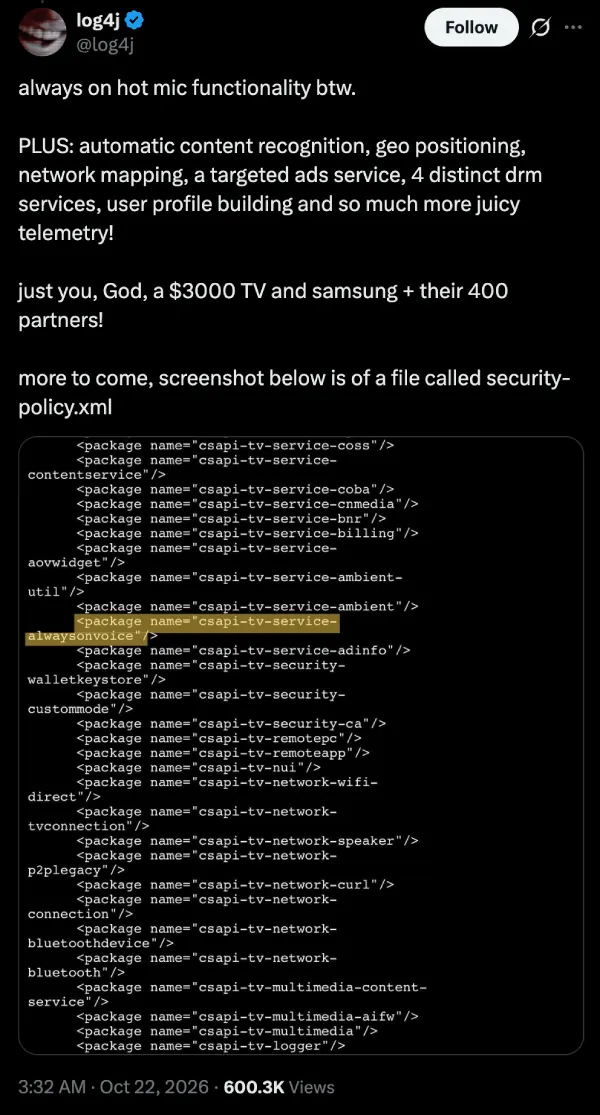
Over the next few days, they posted a stream of findings. All of these are their claims, and the full write-up hasn’t been published yet:
- AI models running on your TV: The set loads a region-specific neural network (LogoCNN.bin) that, according to log4j, tracks what happens inside apps. On YouTube, that includes the videos you watch, the ads you skip and how far into a video you get. Their theory is that this on-device processing of audio, screenshots and your cross-device ad ID is why Samsung TVs feel so sluggish.
- Borrowing a microphone: If a TV model has no built-in microphone, log4j says it looks for a connected device that has one, such as a soundbar or a Bluetooth device, and the audio goes to Bixby.
- Classifying sounds: The telemetry includes counters for dog barking and baby crying, plus camera streaming duration.
- Mapping your network: A service called wifi-presence runs an ARP probe loop to collect IP and MAC addresses on your network. It starts 20 minutes after boot and repeats every hour. Another service, rmdemon, starts a packet logger.
Though some users pushed back against the last point. One user pointed out that Samsung TVs have a Remote Management option under Settings > Support that people turn on when they need help from support, and suggested rmdemon belongs to that feature.
Another user said they confirmed on their own rooted set that rmdemon is real and can upload captures to remote support. They added that they suspect Samsung could trigger it while the TV is idle, but they haven’t proved it.
The dog-barking counters have an innocent explanation too. As Notebookcheck noted, Samsung openly advertises Pet Care and Family Care features on its 2025 TVs, which listen for barking or crying and send an alert through SmartThings. What Samsung doesn’t spell out is that counts of those events are reported back to it.
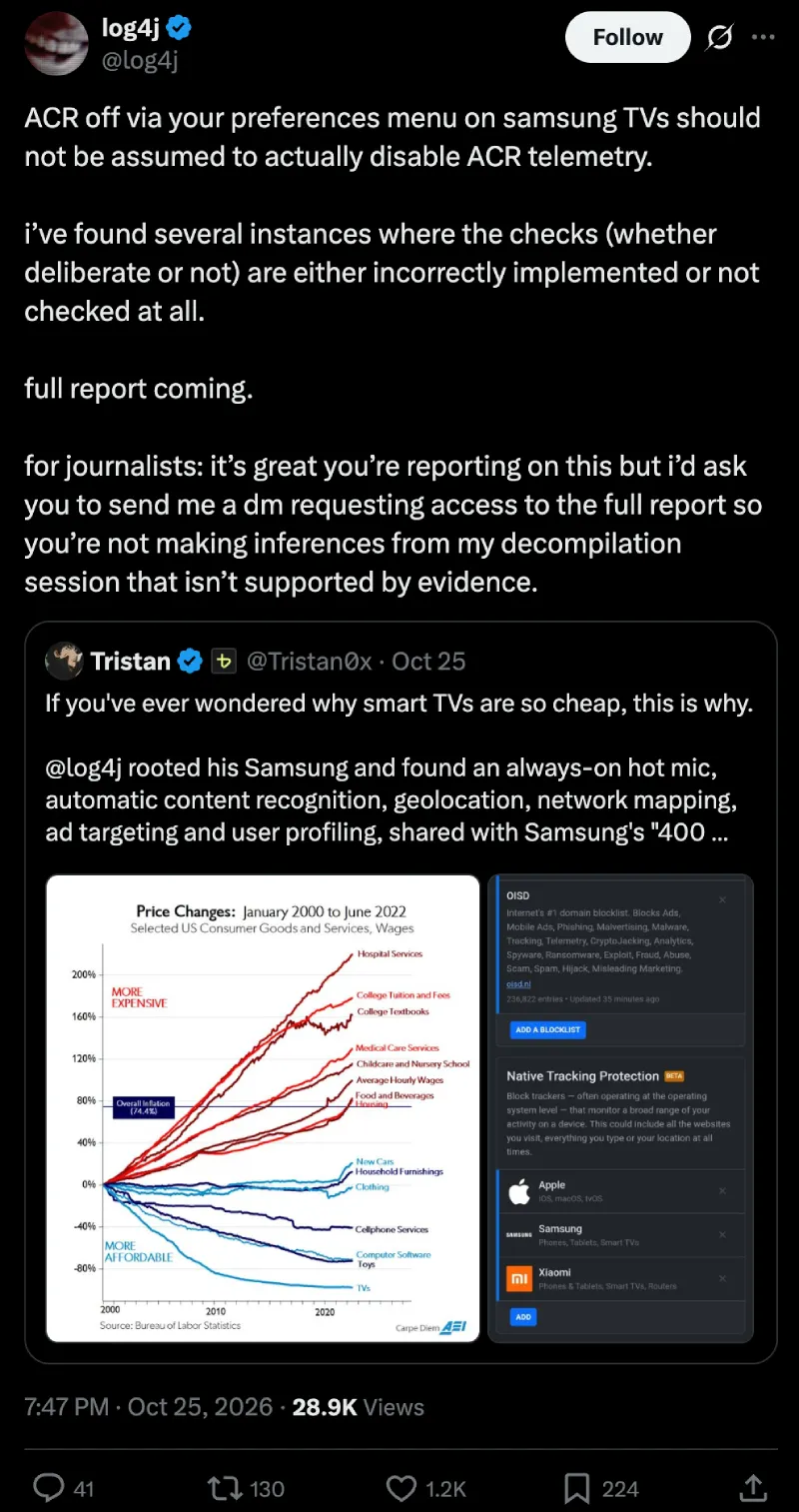
The finding I’d pay most attention to is the one that got the least coverage. On October 25, log4j posted that turning ACR off in a Samsung TV’s settings “should not be assumed to actually disable ACR telemetry”. They say they found several places where the opt-out check is either implemented incorrectly or not checked at all. If the full report backs that up, the privacy toggle most guides tell you to flip may not do what it says.
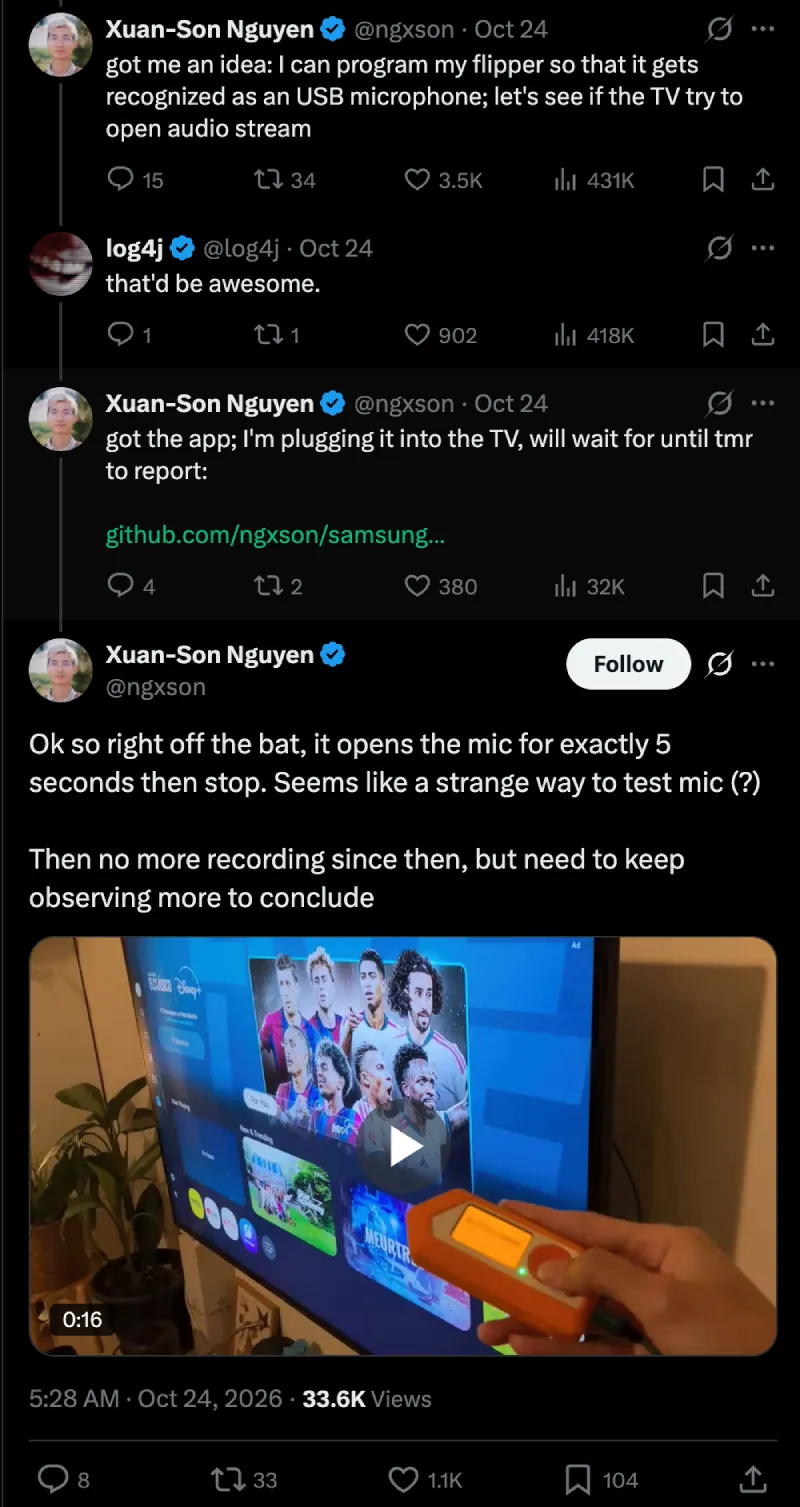
There’s also an independent test that tempers the “always-on hot mic” claim. A Hugging Face engineer watched the microphone on their own rooted Tizen TV. It opened for exactly five seconds, stopped, and didn’t open again for hours. That TV was already rooted with several settings disabled, though, so a stock set could behave differently.
Unsurprisingly, Samsung has not responded to these findings. In comments reported by Korea’s The Today, it repeated its standard position: ACR is opt-in during setup, it matches encrypted fingerprints rather than recording video, and you can switch it off at any time. The same report notes that Samsung settled a privacy lawsuit with the Texas attorney general in February. It paid no fine but agreed to tighten consent and rebuild its disclosure screens.
The researcher was banned by an AI company
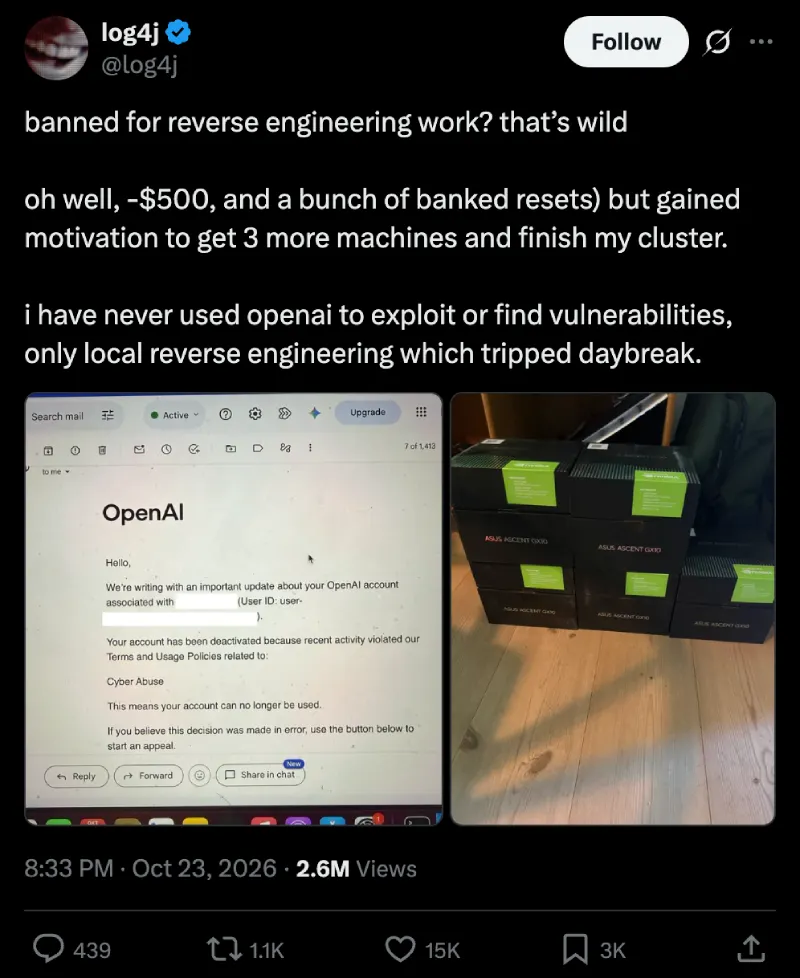
All this drama seems to have caught OpenAI’s attention. Since log4j used OpenAI’s tools for the reverse engineering, OpenAI banned their account for cyber abuse partway through the thread. log4j says they never used OpenAI to find or exploit vulnerabilities, only for “local reverse engineering,” and that they lost about $500 in the process. So the TV gets to run AI that watches its owner, while the owner who used AI to study the TV was flagged as the abuser.
LG had already been caught doing the same thing
In September, Gamers Nexus published a two-hour investigation into LG’s webOS TVs, made with Level1Techs and independent researchers. It’s what sent the Reddit thread about LG TVs “mapping your network” to the top of r/technology. PPC Land’s breakdown has the clearest numbers I’ve found, and several of them aren’t widely known:
- One LG TV mapped 38 devices on the test network, including staff phones, smartwatches, a 3D printer and thermostats, logging names, MAC addresses and internal IP addresses. LG called device scanning a “standard function.”
- With consent given and LG Channels running, a QNED 73B made 847 connections, and 618 of them went to Alphonso, LG’s ad data subsidiary. The researchers estimated about 4GB of content recognition data per TV per month.
- The team found transcripts of what people said stored as plain text in logs on the TV. They found four audio paths that bypass the microphone toggle, and they say the TVs could record in standby and upload the audio once they were back online.
- LG’s consent setup runs to seven documents and about 22,300 words, which would take you 64 to 101 minutes to read.
LG, of course, has denied the core claims and said that voice processing only happens after a button press or wake word, and that ACR is opt-in.
Side by side, the investigations reveal striking overlap: network mapping, content recognition, and microphones that don’t simply switch off. Two major TV brands on different operating systems apparently built the same machine, so I doubt one company went rogue. As one widely shared X post put it, “if you’ve ever wondered why smart TVs are so cheap, this is why.” Alphonso alone booked about $185 million in sales in Q1 2026.

Owners are fighting back with AI agents
On October 17, a developer named Gathin posted that he’d “vibe coded” his parents’ Xiaomi TV. It was showing a sponsored ad before you could even open Netflix, so he gave Claude Code the model number. The agent found the TV on Wi-Fi, removed 25 Xiaomi packages, and wrote a new launcher. The post has been viewed about 8.5 million times, and his prompt and launcher are on GitHub as cleanyourtv. He says everything it does can be undone.
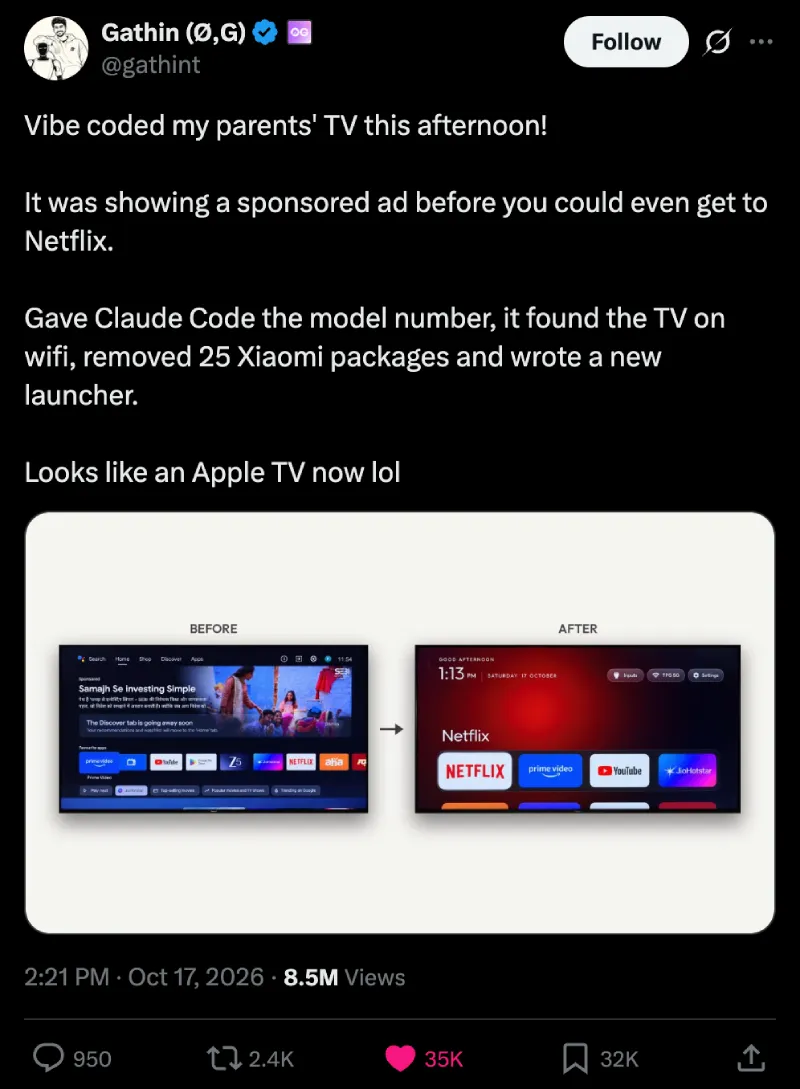
Soon after this post went up, many other users also went to town with their own AI agents to cook up neat ways to clean up their TVs and even add quality-of-life improvements. Below I’ve shared some of the coolest ones I found so far:
- dumbtv, a repo you point your own AI agent at. Its pitch is “no spying, no ads from tv.” The developer’s quick method is to install ADB, find the TV’s IP address, turn on developer mode, and let Claude or DeepSeek handle the rest.
- Ryan Doyle’s TV, which he says he hacked by sending Claude Code the store listing and asking “can you hack this?” His video shared on X has now surpassed 3 million views.
- Talkies, an open-source launcher for Android TV and Google TV of about 220KB, with weather and live cricket scores. The developer notes that it doesn’t do the debloating itself, so you need to run a debloat guide first.
We’ve seen dozens of comments on these posts where several users have also claimed they’ve jumped on board the trend to debloat their TVs and make enhancements with their AI agents.
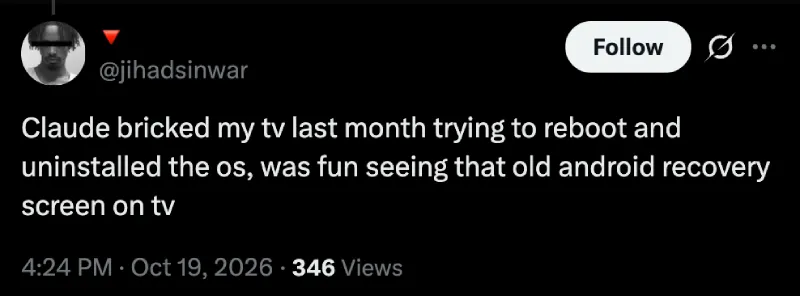
One user said they used Claude Code to block YouTube ads, debloat an LG webOS set, and add AdGuard DNS, and that it now “feels super fast.” Others got stuck. A TCL owner couldn’t get past a setup screen in Chinese, someone asked whether any of it works on Samsung, and a Fire TV owner was told Amazon won’t let a third-party app become the home screen. One LG owner said they’ll “suffer for a while longer” because they aren’t technical. TechCrunch also found someone who bricked an Android TV with Claude’s help. So you might want to be extra careful with whatever you get your AI tool to do.
There’s a real limit here that I don’t see mentioned much. Almost all of these tools target Android TV, Google TV and Fire TV, which open up through ADB once developer mode is on. Samsung’s Tizen and LG’s webOS, the two systems at the center of the spying reports, are much harder to get into. log4j says they’re working on that: they’ve teased a method that would let people take back control of any arm64 smart TV with root, released as a free tool. Until then, they’ve told Samsung owners not to update their TVs.
What you can do without hacking anything
If you aren’t going to point an AI agent at your TV, these steps still help. That said, please keep in mind that menu names change between model years, so you may or may not find the exact same thing on your TV, or the labels might be different.
- Samsung: turn off Viewing Information Services and interest-based ads under Settings > General & Privacy > Terms & Privacy. Given what log4j found about the opt-out checks, don’t assume this stops everything.
- LG: turn off Live Plus and the viewing information and ad agreements under Settings > General > System > Additional Settings (on some models it’s under User Agreements).
- Block it at the network: A Pi-hole or a DNS filter like AdGuard on your router can block known ad and tracking domains. Some TVs stop working properly when key domains are blocked, so add rules gradually.
- Take it offline: If you stream from a separate box, don’t connect the TV to the network at all. Even this isn’t airtight: the LG findings suggest audio can be stored offline and uploaded once the TV reconnects.
The bigger point is that the only reliable fixes right now are disconnecting the TV or rewriting its software. Neither should be required to watch TV in your own home. I’ll update this post when log4j’s full write-up goes live or Samsung responds directly.
TechIssuesToday primarily focuses on publishing 'breaking' or 'exclusive' tech news. This means, we are usually the first news website on the whole Internet to highlight the topics we cover daily. So far, our stories have been picked up by many mainstream technology publications like The Verge, Macrumors, Forbes, etc. To know more, head here.



Dwayne Cubbins
1477 Posts
For nearly a decade, I've been deciphering the complexities of the tech world, with a particular passion for helping users navigate the ever-changing tech landscape. From crafting in-depth guides that unlock your phone's hidden potential to uncovering and explaining the latest bugs and glitches, I make sure you get the most out of your devices. And yes, you might occasionally find me ranting about some truly frustrating tech mishaps.


Follow Us

