










Snapchat users are reporting a frustrating problem with the app’s Memories export feature: they’re requesting full backups of their photos and videos, but the downloads are either getting stuck indefinitely or completing with huge chunks of content mysteriously missing.
The complaints have been piling up on Reddit’s r/SnapchatHelp over the past week or so, with multiple threads describing similar experiences.
What’s driving the sudden rush to export? Many users say they’re getting notifications warning them they’re running out of Snapchat storage, which is pushing them to either pay for more space or download their Memories to free things up. This isn’t surprising because we saw reports mentioning that this was going to happen back in October.

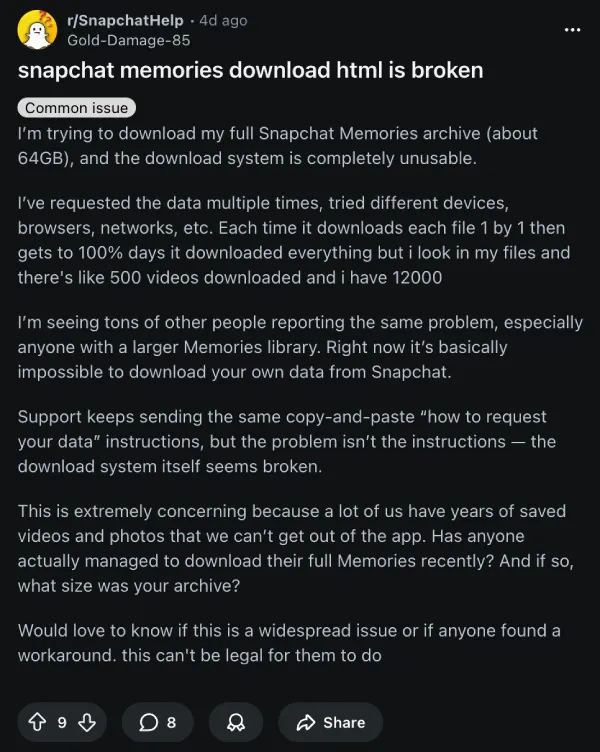
That storage pressure is turning what should be a routine backup task into a high-stakes race — and for a lot of people, the export tool is failing right when they need it most. One particularly detailed post from December 12 describes an attempt to download a 64GB Memories archive that became “completely unusable.”
The user says they tried different devices, browsers, and internet connections, but the result was always the same: the progress bar would hit 100%, claim everything was downloaded, and then leave them with only around 500 videos when they should’ve had closer to 12,000.
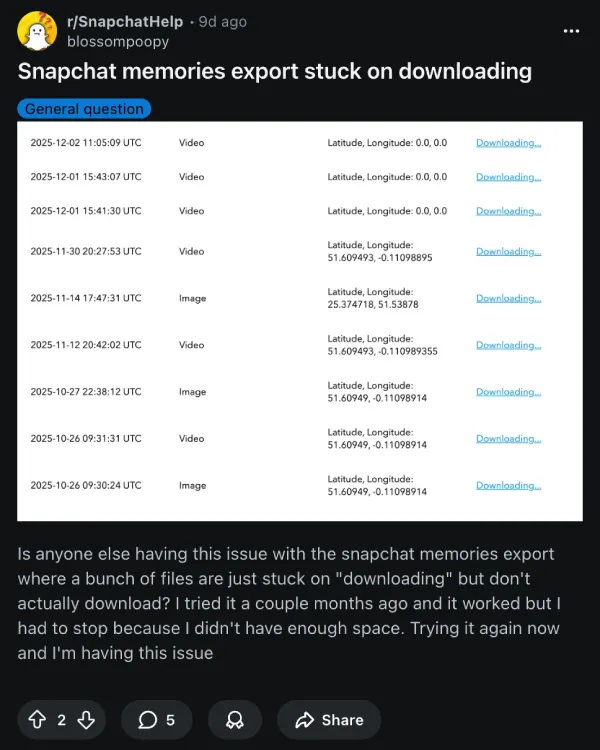
Other users describe downloads that simply never finish. In a December 7 thread, someone said multiple files stayed stuck on “downloading” without ever completing, even though the exact same process worked fine for them just a couple of months earlier.
The workarounds people are sharing sound more like desperate rituals than actual fixes: keep refreshing the page after it hits 100%, retry the entire download multiple times, or just accept that you’ll need to manually babysit the process to catch what gets skipped.
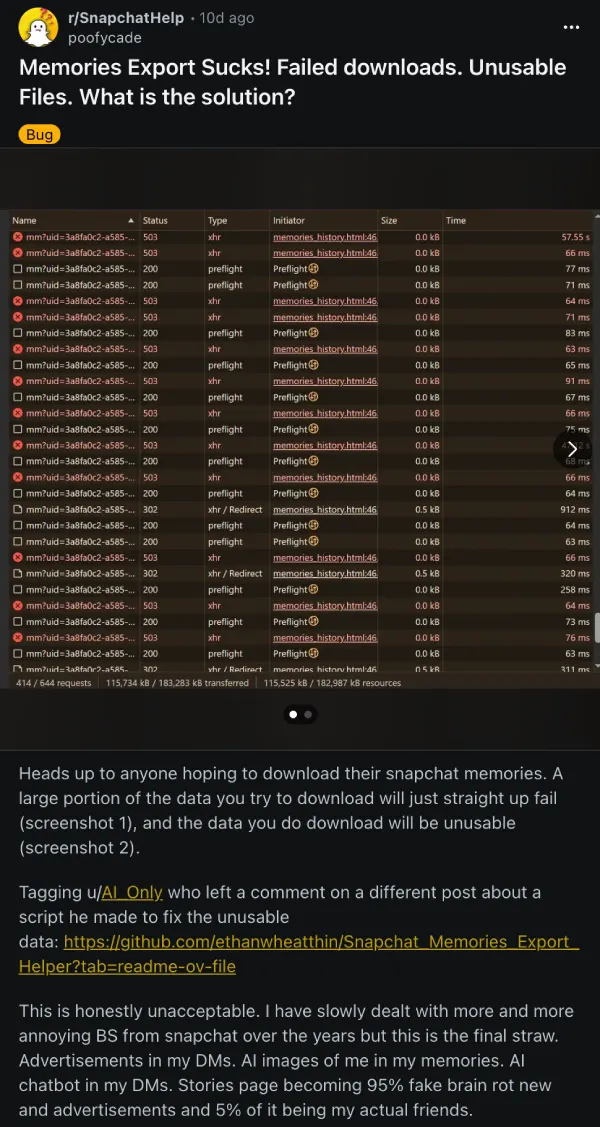
Another post warns that “a significant amount” of data can fail to download entirely, and some files that do make it through end up corrupted or unusable.
Here’s why this matters more than your typical feature bug: for a lot of Snapchat users, Memories is their primary camera roll backup.
Unlike Instagram or TikTok, where you’re mainly posting curated highlights, Snapchat has always encouraged users to treat it like a personal photo diary — saved Snaps, throwaway moments, all stored in Memories.
When that export process breaks, people aren’t just losing access to social media posts; they’re potentially losing years of personal photos and videos they assumed were safely archived.
Snapchat’s official help documentation makes the export process sound pretty straightforward: log into accounts.snapchat.com, navigate to My Data, toggle Export your Memories, and request a download with your preferred date range.
The company even acknowledges that “longer time ranges and larger downloads take more time to process,” which is fair, but what users are describing goes beyond slow processing.
Snapchat hasn’t yet issued any public statement regarding these issues, but let’s hope a fix arrives sooner rather than later. In the meantime, if you’re planning to back up your Snapchat Memories, you might want to test smaller date ranges first.
We’ll keep an eye out for any further developments and will update this article when there’s something to share. Feel free to share your experience with downloading your Snapchat Memories in the comments below.
TechIssuesToday primarily focuses on publishing 'breaking' or 'exclusive' tech news. This means, we are usually the first news website on the whole Internet to highlight the topics we cover daily. So far, our stories have been picked up by many mainstream technology publications like The Verge, Macrumors, Forbes, etc. To know more, head here.



Dwayne Cubbins
1448 Posts
For nearly a decade, I've been deciphering the complexities of the tech world, with a particular passion for helping users navigate the ever-changing tech landscape. From crafting in-depth guides that unlock your phone's hidden potential to uncovering and explaining the latest bugs and glitches, I make sure you get the most out of your devices. And yes, you might occasionally find me ranting about some truly frustrating tech mishaps.


Follow Us

