


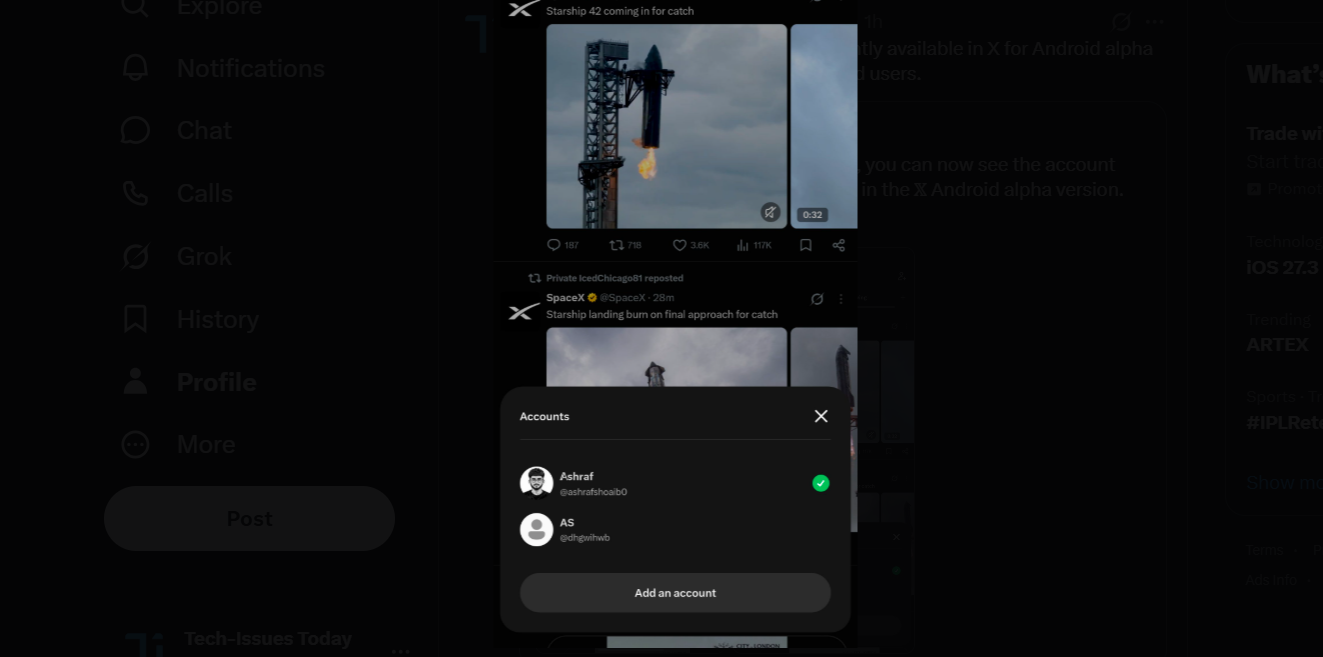
Breaking 🚨:- When you tap and hold, you can now see the account switcher, which is currently rolling out in the 𝕏 Android alpha version. 🎉🎉🎉 pic.twitter.com/C7Kv4lwnl9
— 𝔸shraf (@ashrafshoaib0) November 16, 2026
I have spotted a couple of new changes currently available in the alpha builds of X for Android app. The first change is related to the process of switching accounts and the second one is related to redesign of the video settings menu.
Let’s take them up one by one.
New account switcher
First off, if you have multiple X accounts and you use them through your Android phone, there’s some good news. The process to switch accounts has been made easy. To give you a good idea, here’s how the process currently works on the stable X for Android app that most users have:
You reach out to the profile icon on the top left
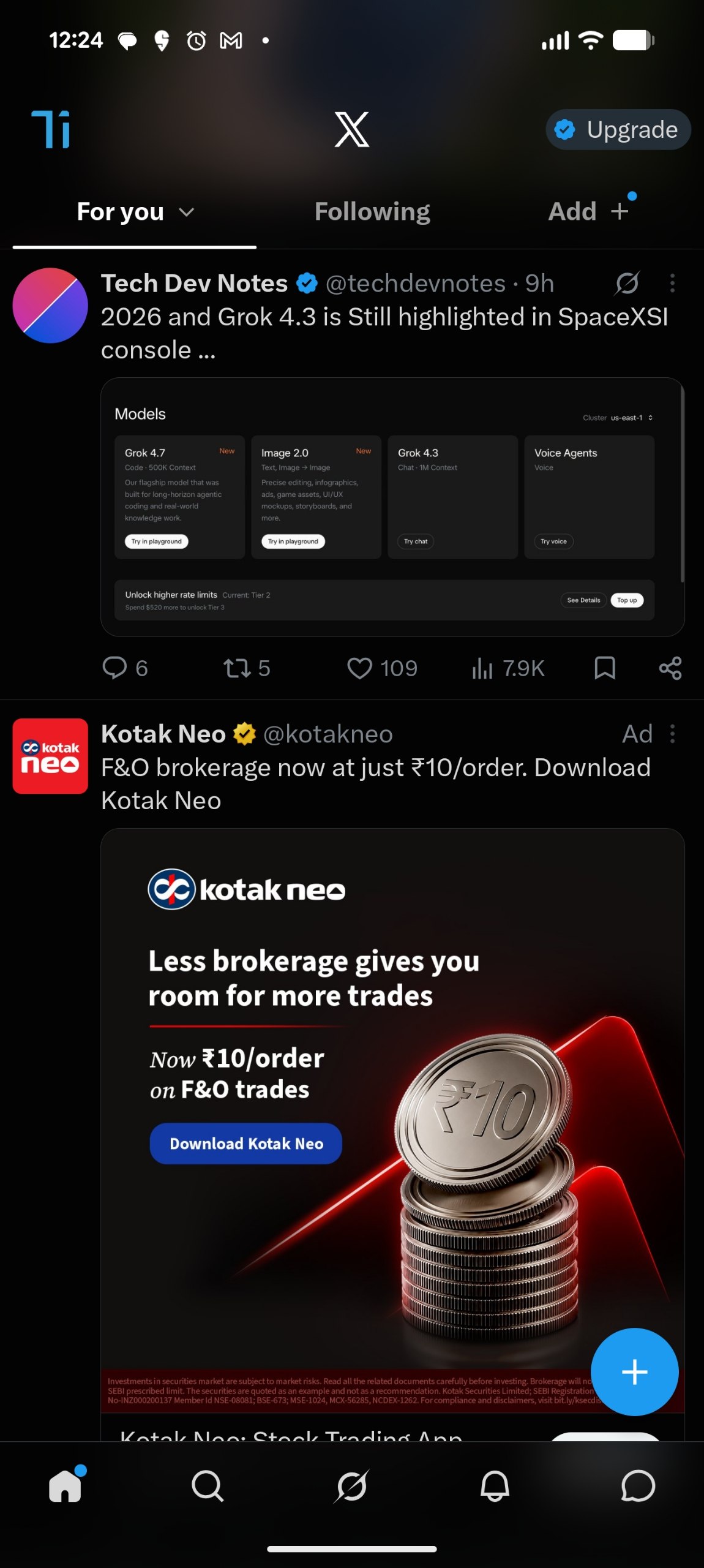
then tap on it
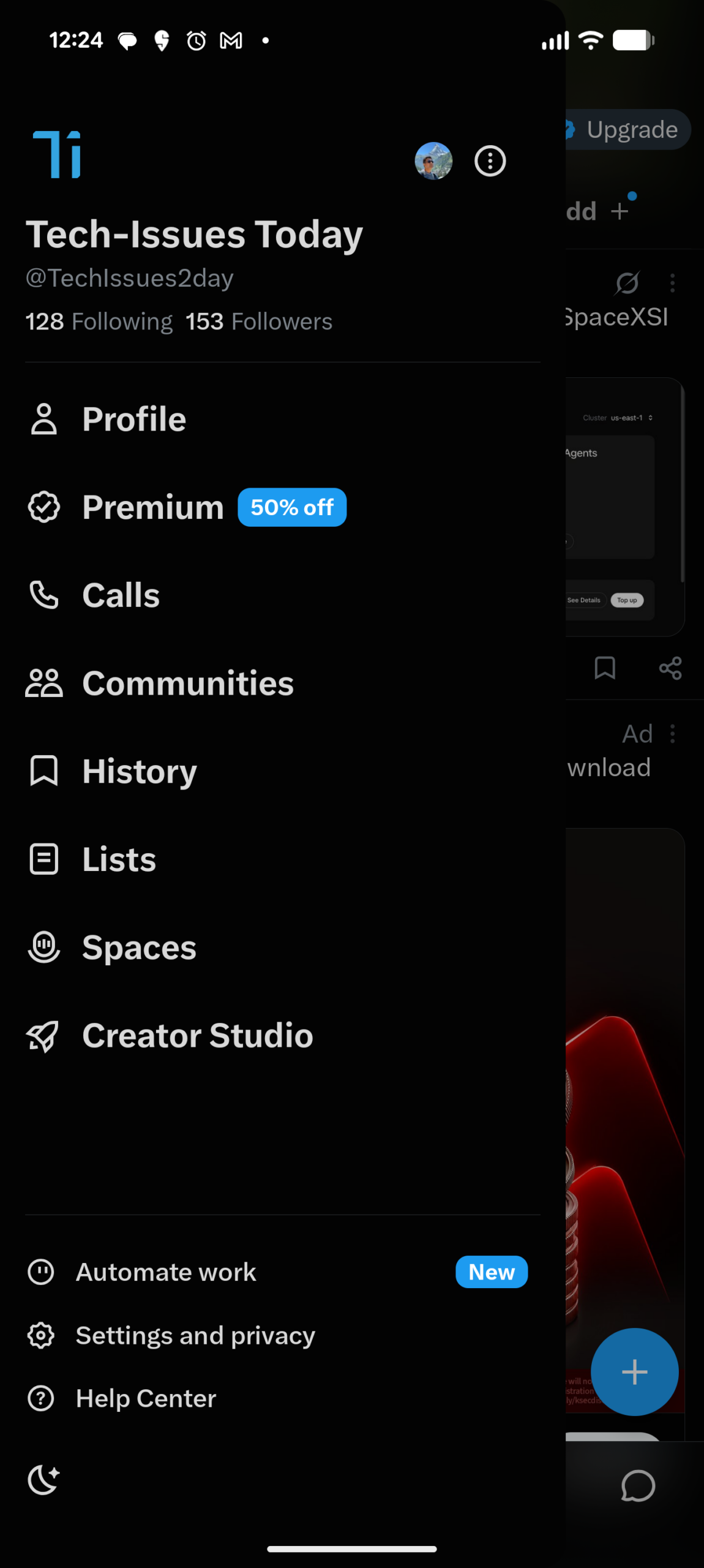
and then tap on the profile icon of the other X account (which sits on the top right side near the three-dot menu).
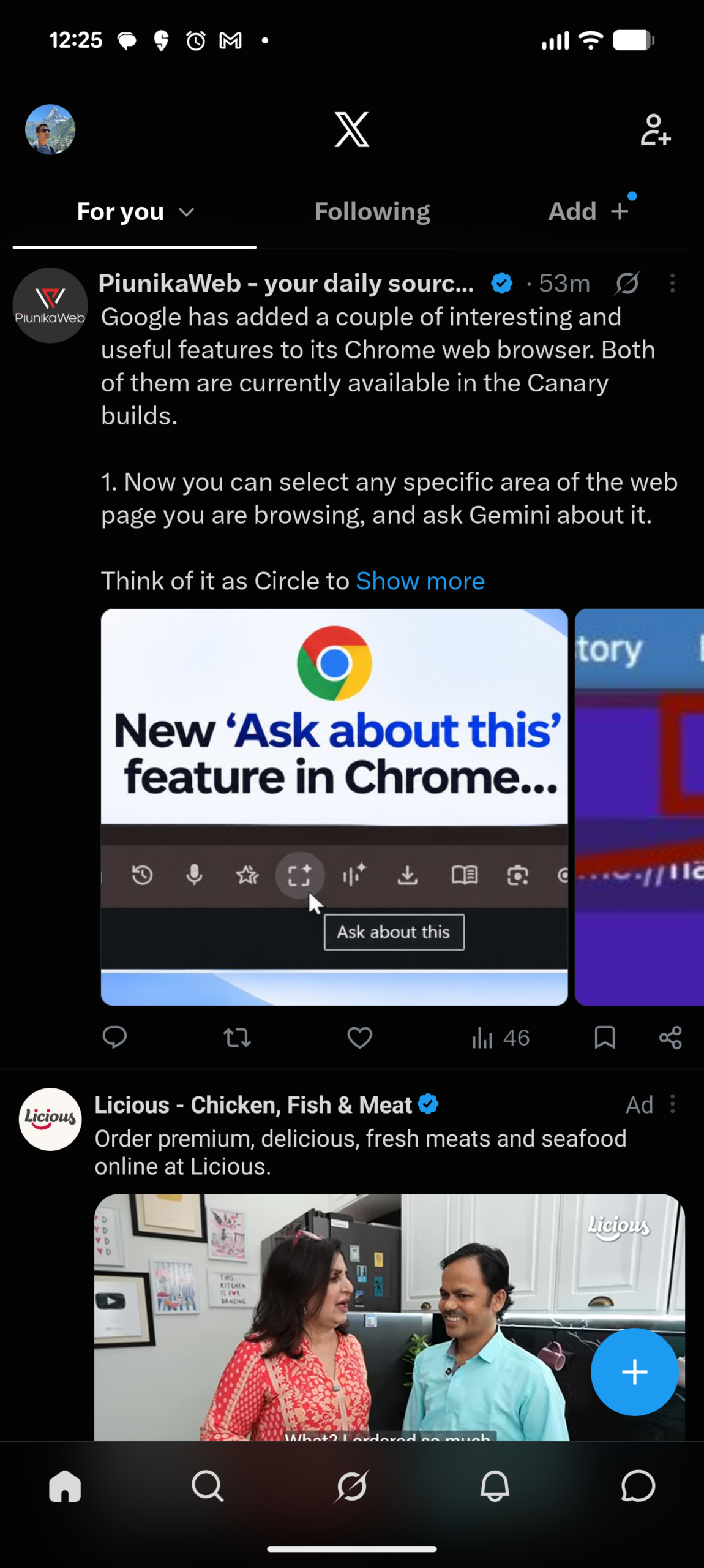
And if you have to add or create a new account, you have to tap on the three-dot menu.
Now, what I am seeing (credit: @ashrafshoaib0) in the latest Android alpha builds is that you just have to long press on the Home icon and the account switcher pops up. Not only that, but the popup also includes a button to ‘Add an account’.
This change definitely makes things convenient because, firstly, reaching out to an icon at the bottom is easy compared to something on top of the screen, and secondly, if you need to add a new account, this new process saves you one tap at least.
I also spotted another user pointing out that if you just swipe on the profile picture, the accounts are switched – making it another new way to switch accounts.
Check this bro there is something else pic.twitter.com/xkmew1ClBv
— Super Empath (@super_empathic) November 16, 2026
That’s cool as well.
Redesigned video settings menu
Now let us come to the changes related to the video settings menu. In case you don’t remember, here’s how the video settings menu looks currently on Android:
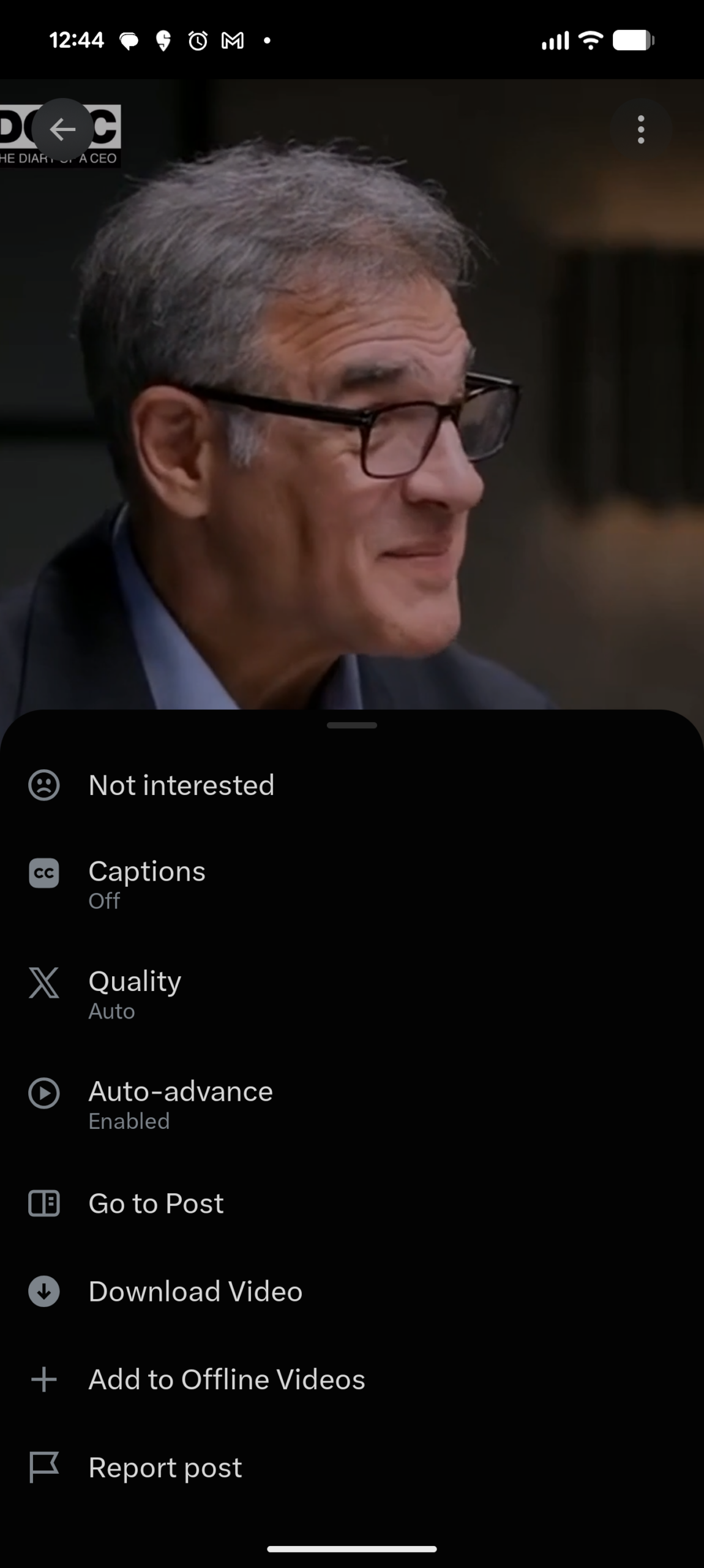
And this is the new video settings menu which X for Android alpha build users are now reporting:
1/2
— Jino Sabu (@JinoSabu1999) November 16, 2026
The redesigned video player in X Alpha for Android, also now featuring 0.5x playback speed! #XAlpha #XAndroid #XUpdates @blankspeaker @P4mui @Iorel_X @ashrafshoaib0 pic.twitter.com/Y11mAV0EHP
The main change that you’ll notice right away is that new strip on the top for changing playback speed. You can easily tap on any option there and the video will start playing at that speed without you returning to the video immediately.
Basically, you can choose the playback speed now in a more natural way, compared to the stable build where you have to tap-tap-tap on the playback speed indicator in the player UI so that it takes you to your desired playback speed.
Oh, and yes, there’s a new 0.5x playback speed option now as well.
The other changes are minor but make the whole experience more fluid. Like turning anything ON or OFF is now more intuitive (in the stable version, as soon as you turn ON something, like Captions for example, you immediately return back to video, which may be counterintuitive sometimes, especially if you are new to X).
Given that all these changes we discussed here in the article are in alpha builds right now, it may take sometime for them to make it to the stable build. So, it’s difficult to say how soon they will arrive for everyone.
Anyway, how do you like these changes? Let us know your thoughts in the comments section below.
TechIssuesToday primarily focuses on publishing 'breaking' or 'exclusive' tech news. This means, we are usually the first news website on the whole Internet to highlight the topics we cover daily. So far, our stories have been picked up by many mainstream technology publications like The Verge, Macrumors, Forbes, etc. To know more, head here.



Himanshu Arora
302 Posts
I have been writing tech-focused articles since 2010. In my around 15 years of experience so far, I have written for many leading publications, including Computerworld, GSMArena, TechSpot, HowtoForge, LinuxJournal, and MakeTechEasier to name a few. I also co-founded PiunikaWeb, which went on to become a huge success within 5 years of its inception. Here at TechIssuesToday, I aim to offer you helpful information in a way that you won't find anywhere else easily.


Comments
Follow Us

