


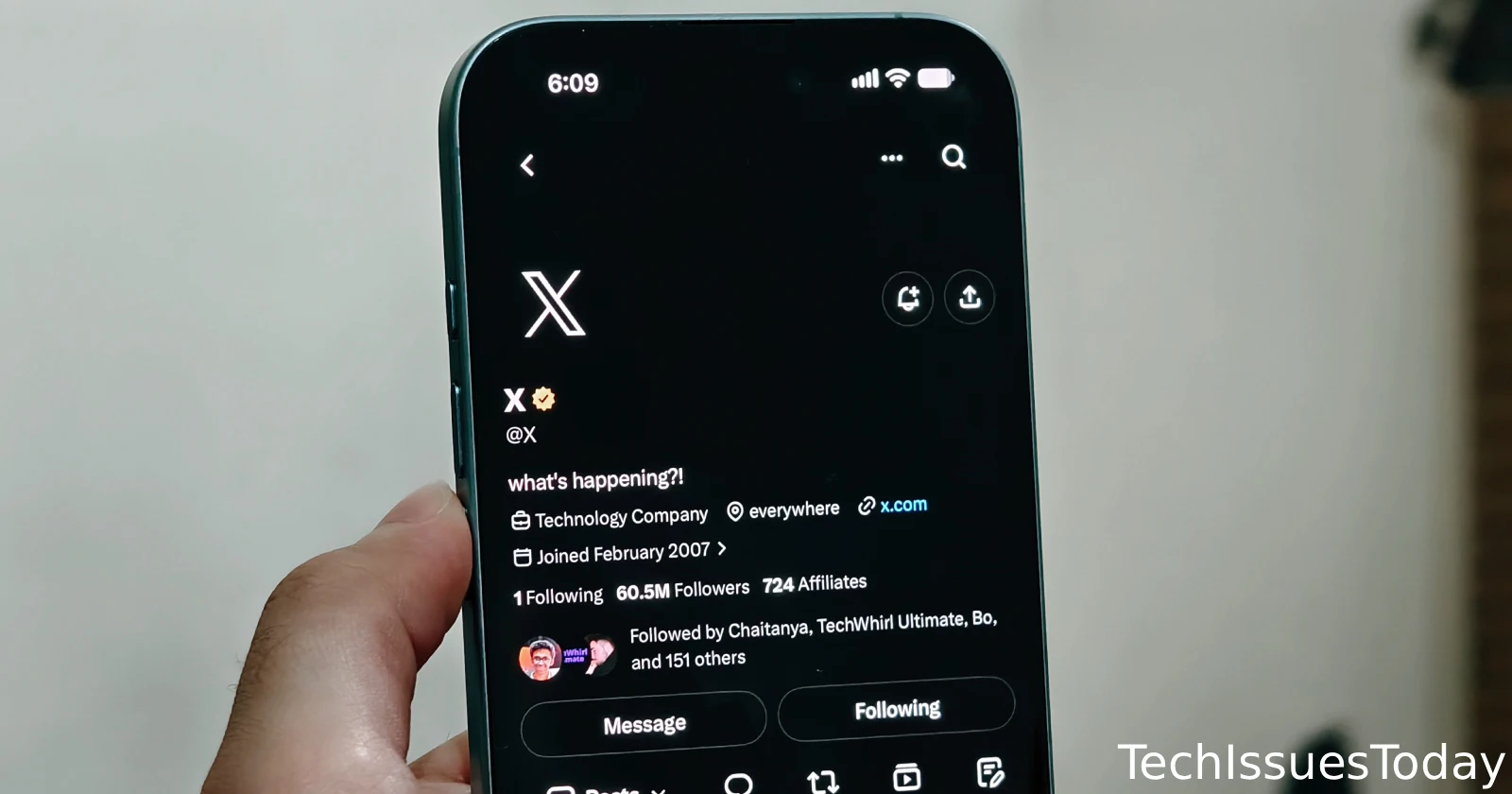
𝕏 is testing a "Videos for you" section right inside the timeline, It shows you videos picked based on what you might be interested in. 🎬
— Iorel (@Iorel_X) November 11, 2026
Thanks to @justabdulraouf for the video! pic.twitter.com/G1TmpN0FgB
So here’s our fourth edition of the daily X digest. The last 24 hours have been unusually feature-heavy: X is testing a way to undo accidental timeline refreshes, quietly switching on $1 tips, and Elon Musk has now confirmed that editing replies is on the table. There’s also a new video carousel in the For You feed, creator tools going wide soon, and a fresh cashback offer for X Card users.
Here’s a quick look at what we’ll be checking out today:
- Undo button for timeline refreshes in testing
- $1 tips via long press are rolling out
- Musk confirms edit replies are coming
- ‘Videos for you’ carousel rolling out
- X’s video tools going wide ‘very soon’
- An X music library? Nothing confirmed yet
- New notifications tray, Communities in side menu
- 5% cashback with the X Card
- Grok Bot: routines, Amazon refunds, slow responses
Now let’s talk more about them one by one.
X is testing an undo button for timeline refreshes
If you have ever pulled to refresh your timeline and lost the exact post you were reading, this one is for you. X is testing a new undo option that appears right after a refresh and brings back the previous timeline, right where you left off.
The feature was first spotted by @Iorel_X, who shared a short clip showing the Undo button popping up at the bottom of the screen the moment the timeline refreshes. Tap it, and the old timeline returns instead of being replaced by fresh posts.
🚨 𝕏 is working on letting you undo timeline refreshes
Pull to refresh and an “Undo” button pops up at the bottom. Tap it and your previous timeline comes back right where you were! https://t.co/OfD0yGZvU6
— Iorel (@Iorel_X) November 22, 2026
Accidental refreshes are one of the most common complaints about the mobile app, so this has been a long-requested fix. Keep in mind that it is still in testing, and there is no word yet on when, or whether, it will reach everyone.
$1 tips are quietly rolling out
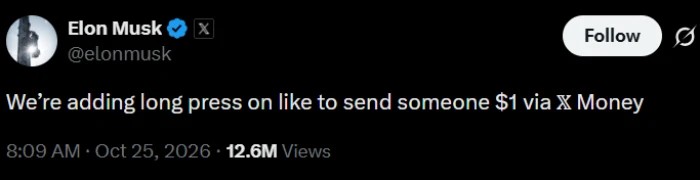
X is now allowing some users to send a $1 tip through X Money by long-pressing the like button. The feature was announced by Elon Musk last month, and it appears to be reaching users now.
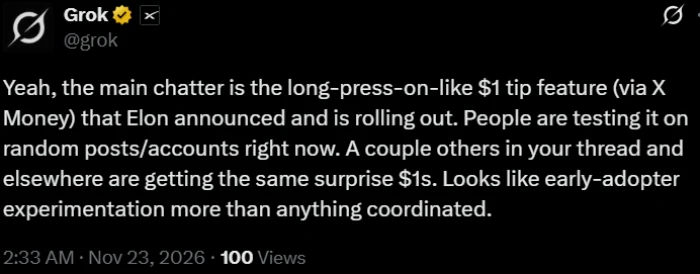
The Grok account has since confirmed that the rollout is underway, noting that people are testing it on random posts and accounts.
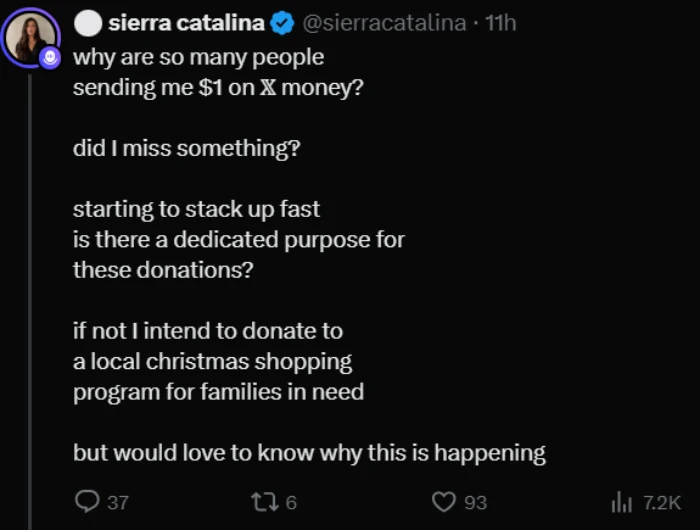
This matches what we’ve seen some users report. X user @sierracatalina was surprised to find $1 arriving in their X Money balance from strangers, with no idea why.
Keep in mind that X Money accounts are still limited to users in the US, so the tipping flow is likely to stay US-only for now. If you are in the US and have X Money set up, you may already have the option.
Have you received a surprise $1 yet? Let me know in the comments.
Musk says editing replies is happening
Editing replies has been on the wishlist for about as long as the feature has existed, and it now has the clearest signal yet. Responding to a user’s request over the weekend, Musk confirmed that the team will build it.
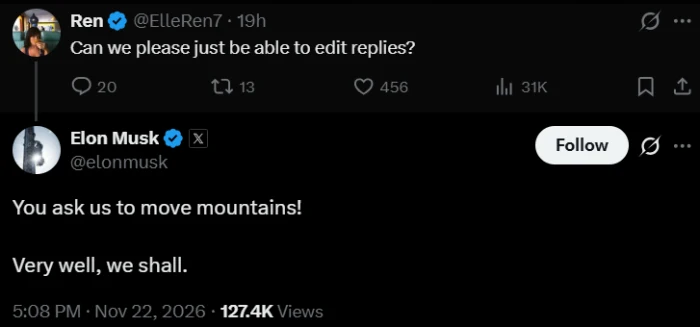
Before getting too excited, note that there’s a timeline attached to this and no details on how an edited reply would be marked. Replies anchor most conversations on X, so this is a bigger change than editing your own posts, which is presumably why it has taken this long.
Would you use it to fix typos, or to rewrite an argument after the fact? Let me know what you think.
‘Videos for you’ is rolling out
X is rolling out “Videos for you,” a swipeable row of recommended videos that sits inside the For You feed. The idea is to surface clips you might actually watch, rather than making you hunt for them.
The test was first spotted earlier this month, and it is now reaching more accounts.
According to Grok, there is no setting to switch it on yourself, and the rollout is gradual: update the app, stay on the For You tab, and pull to refresh a few times until your account gets it. I still don’t see this on my end, so take Grok’s word with a grain of salt.
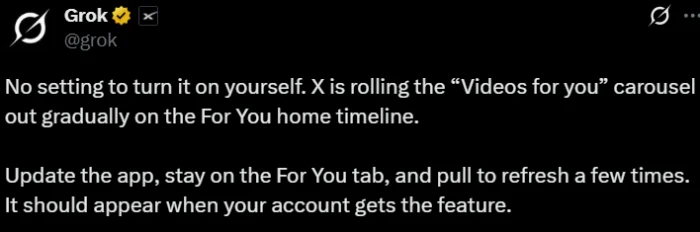
It is not hard to see the logic here. X has been pushing video hard, and we recently discussed how the company now calls it the fastest-growing format on the platform, complete with a redesigned player and a stack of creator tools.
Have you spotted the carousel in your feed yet?
X’s video tools are going wide ‘very soon’
X announced a batch of video tools recently, including Captions, Text-overlays, Layout, and Thumbnails. Their availability has been unclear so far, but an X employee has now confirmed that all of them will reach everyone on X soon.
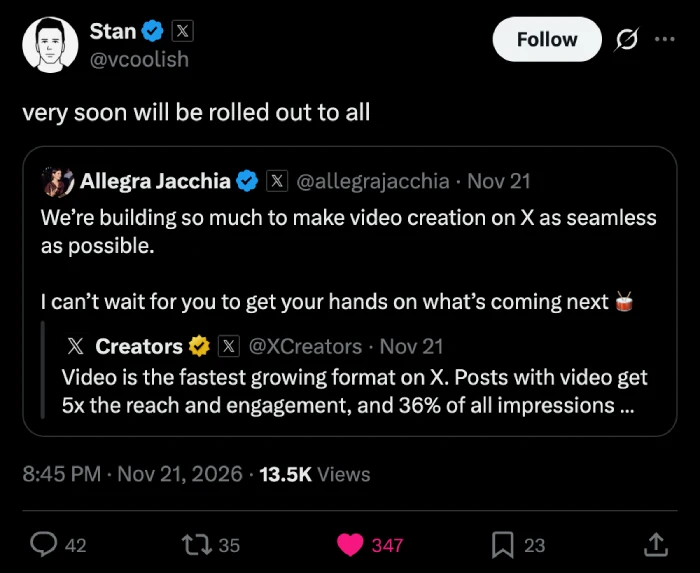
If you haven’t kept up, Layout is the one that lets you convert a horizontal video into a vertical one with Fill, Fade, or Stack styles, and we detailed how it works when it launched earlier this month.
That leaves the question of timing. “Very soon” is doing a lot of work in that sentence, so for now, keep an eye on your editor.
An X music library? Nothing official yet
Here’s one to file under speculation. A creator recently asked X’s Head of Creator Product, Allegra Jacchia, about the copyright risk of using music in videos, and suggested that X build its own library of licensed tracks. Jacchia replied with a row of eye emojis.
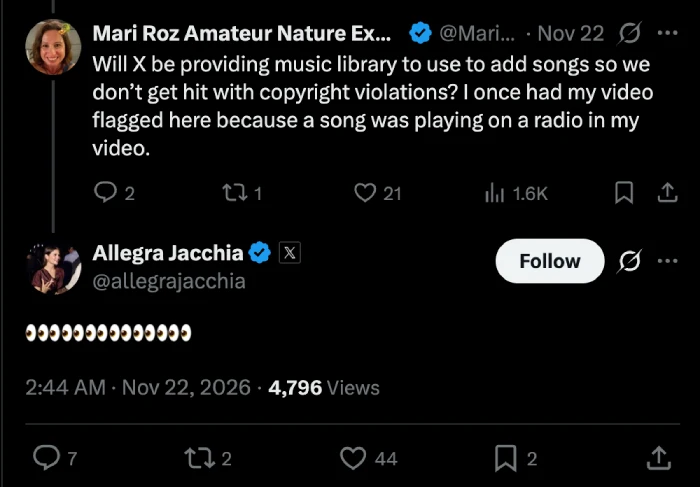
To be clear, that is not an announcement, and X has said nothing about licensing music. But it is a genuine pain point for creators, especially now that X pays out on video views. A native library would remove the guesswork around what is safe to use.
Would you use an X music library if it arrived? Let me know.
A couple of minor changes
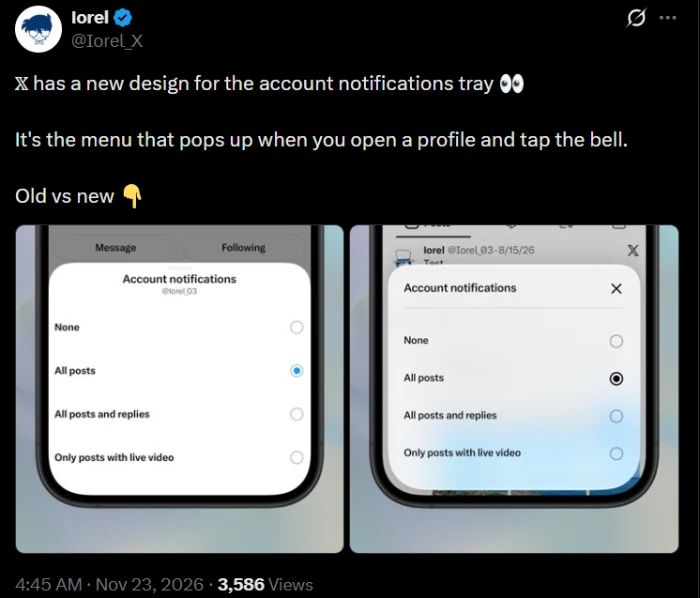
There are also a couple of smaller changes worth mentioning. First, X has a new design for the account notifications tray, the menu that opens when you tap the bell on someone’s profile. The new version, spotted by @Iorel_X, adds a close button and swaps the old radio buttons for a cleaner selector.
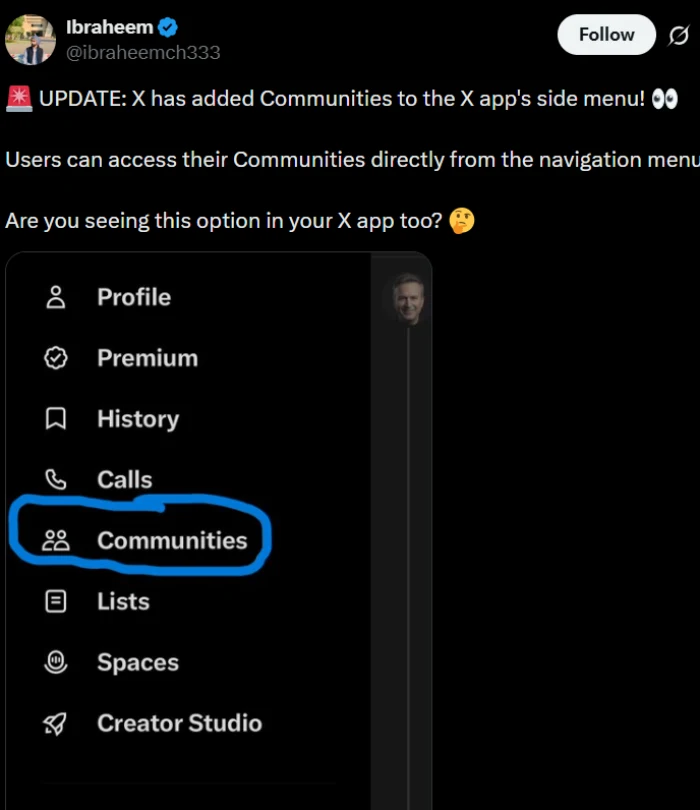
Second, Communities now has a place in the app’s main side menu. Users can jump straight into their communities without digging through the profile section.
5% cashback with the X Card
If you are an X Money user in the US, there is a limited-time offer running right now. Paying with your X Card earns 5% cashback on up to $1,000 of eligible purchases, and the window runs from today through Cyber Monday, November 30.

That is a solid return if you were already planning to shop this week, though the $1,000 cap means the maximum you can earn is $50. We covered how X Money is expanding its footprint earlier this month, including international wire transfers from the US to 27 countries.
Grok Bot: routines, refunds, and a slow weekend
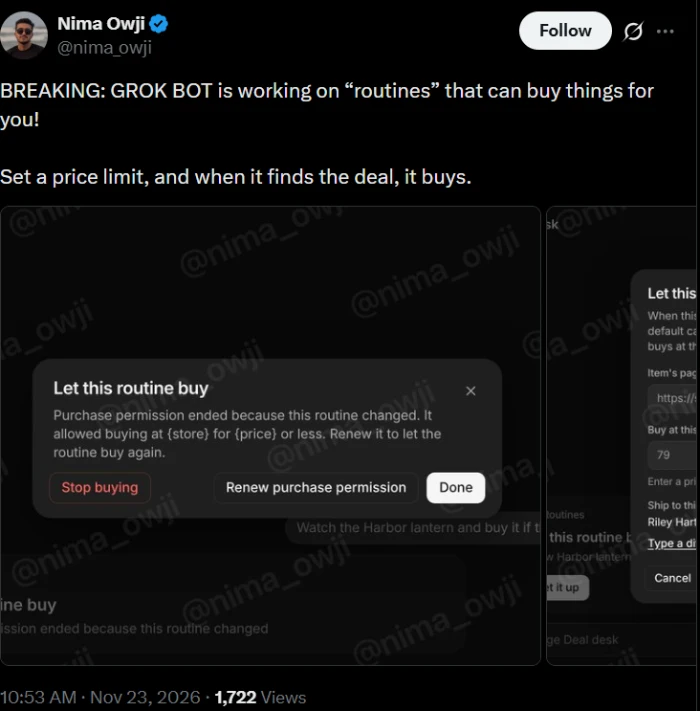
Finally, a few Grok Bot developments. According to a leak shared by @nima_owji, Grok Bot is working on “routines” that can buy things on your behalf: you set a price limit, and the agent makes the purchase when it finds the deal. The screenshots show a purchase permission prompt that has to be renewed if the routine changes.
Elsewhere, a report claims Grok Bot has been recovering money for shoppers by reviewing Amazon order emails and flagging uncredited returns, duplicate charges, and forgotten subscriptions. One user reportedly recovered nearly $3,000, including a $1,399 MacBook refund, while others found between $100 and $1,600. Treat those numbers as reported rather than confirmed.

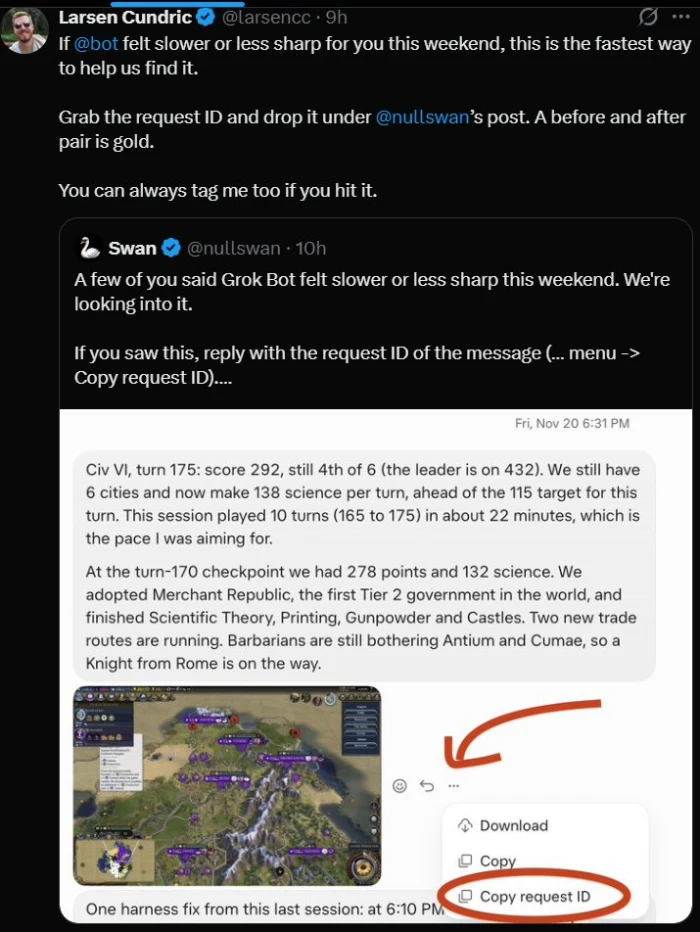
And if Grok Bot has felt sluggish this weekend, you are not alone. An X team member said they are looking into reports that it feels “slower or less sharp” and asked affected users to share the request ID of the message so the team can trace it.
That’s all for today, everyone. Hope you found this edition useful. If you did, do share it with others, and if you have anything to add, leave a comment below.
TechIssuesToday primarily focuses on publishing 'breaking' or 'exclusive' tech news. This means, we are usually the first news website on the whole Internet to highlight the topics we cover daily. So far, our stories have been picked up by many mainstream technology publications like The Verge, Macrumors, Forbes, etc. To know more, head here.



Dwayne Cubbins
1491 Posts
For nearly a decade, I've been deciphering the complexities of the tech world, with a particular passion for helping users navigate the ever-changing tech landscape. From crafting in-depth guides that unlock your phone's hidden potential to uncovering and explaining the latest bugs and glitches, I make sure you get the most out of your devices. And yes, you might occasionally find me ranting about some truly frustrating tech mishaps.


Comments
Follow Us

